


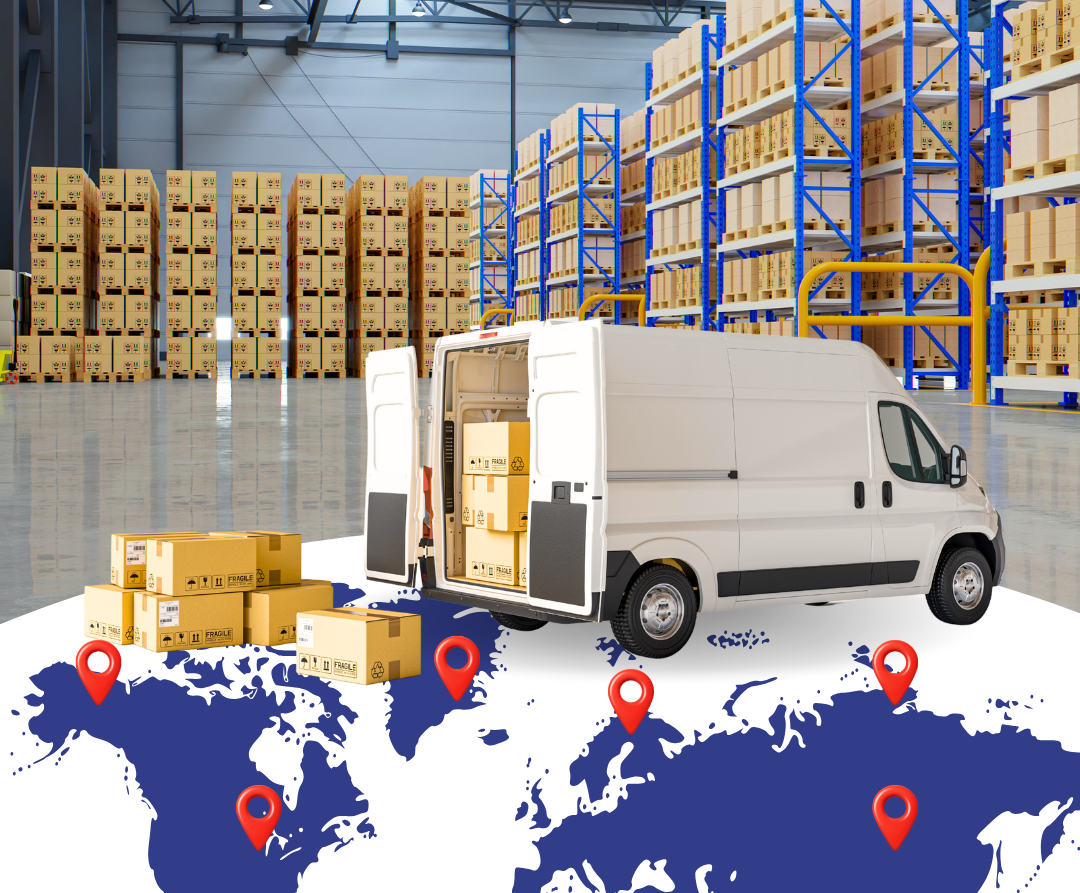
As a business grows, inventory rarely stays in one place. What begins with a single warehouse or storage area often expands into multiple locations — additional warehouses, retail backrooms, fulfillment partners, or separate production and storage areas.
This shift is common for e-commerce businesses scaling fulfillment, 3PLs managing inventory for multiple clients, and manufacturers moving materials and products through different stages of operation. While growth is a positive sign, it also introduces complexity. Once inventory is spread across locations, maintaining visibility and accuracy becomes more difficult. In fact, over 70% of supply chain leaders struggle with poor inventory visibility across multiple locations.
Multi-location inventory management helps businesses stay in control as inventory moves across locations. This guide explains how it works, where challenges arise, and how businesses manage inventory across locations in a practical and scalable way.
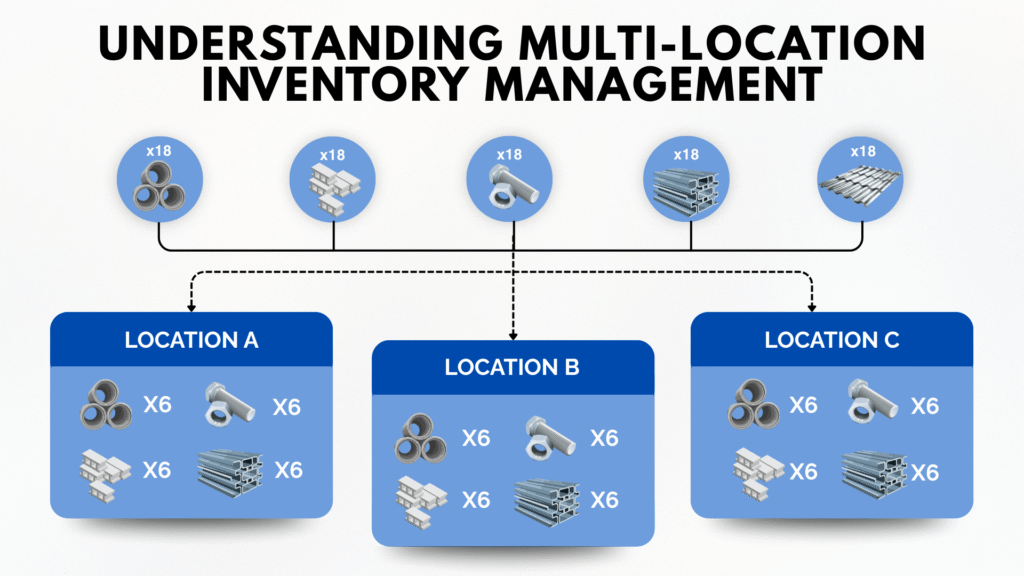
Inventory Is Tracked by Location, Not Just by Item
Multi-location inventory management means inventory quantities are assigned to specific locations rather than combined into one total number. A location does not have to be a full warehouse. It can be any defined area where inventory is stored.
In practice, a location may represent a warehouse, a room, a zone, a shelf, a bin, or even a temporary staging area. This includes bin-level and shelf-level locations within the same facility. The key is that inventory is tied to a clearly defined place, allowing businesses to track where stock actually resides and how it moves within an operation.
Different Industries Apply It in Different Ways
For e-commerce businesses, this often means tracking inventory across multiple fulfillment warehouses or zones within a warehouse. For 3PLs, it involves managing inventory by client and location, including bin-level storage. For manufacturers, it includes tracking raw materials, work-in-progress, and finished goods across receiving, production, storage, and shipping areas.
The common goal is the same: knowing where the inventory is at any given moment.
The Complexity of Managing Inventory Across Multiple Locations
Inventory Moves More Often Than Expected
Once inventory exists in more than one location, it begins moving more frequently. Stock is received at different sites, transferred internally between areas or bins, and fulfilled from different locations depending on demand. Each movement increases the risk of error if it isn’t recorded accurately. In 2024, 84% of retail leaders reported difficulties achieving real-time inventory visibility.
Visibility Decreases as Locations Increase
As locations grow, visibility becomes harder to maintain. One area may show sufficient stock while another runs out, even though inventory exists elsewhere. Without real-time visibility, teams often rely on assumptions rather than accurate data.
Small Gaps Lead to Bigger Problems
Minor delays in updating inventory may not seem serious at first. Over time, these gaps result in fulfillment delays, inventory shortages, and growing manual work. These issues often contribute directly to stockouts.
Signs Your Business Needs Multi-Location Inventory Tracking
Inventory Exists in More Than One Physical Space
As soon as inventory is stored in multiple rooms, warehouses, shelves, bins, or storage zones, tracking stock by location becomes important. Total counts alone are no longer enough. It applies not only to separate buildings, but also to bin-level and shelf-level locations within the same facility. This is often the first sign businesses outgrow single-location tracking.
Orders Are Fulfilled from Different Locations
E-commerce sellers frequently reach this point when orders ship from multiple warehouses, zones, or fulfillment partners. Without location-level tracking, it becomes difficult to allocate orders correctly.
Materials and Products Move Through Multiple Stages
Manufacturers encounter this need when materials move between receiving, production, storage, and shipping. Each stage may represent a different location, even when everything happens under the same roof. Inventory accuracy at each step is critical.
Common Operational Issues Without Location-Level Control
Transfers Are Not Properly Recorded
Inventory often moves between locations informally. When transfers between areas, shelves, or bins aren’t tracked consistently, stock levels quickly become inaccurate. This leads to confusion about where inventory actually resides.
Stock Appears Available but Can’t Be Fulfilled
Total inventory numbers may look correct, yet the required stock isn’t available at the right location. Orders are delayed while teams search for inventory or move it manually.
Disconnected Systems Create Blind Spots
Many businesses rely on spreadsheets or separate systems for different inventory stages or storage areas. This fragmentation makes it difficult to trust inventory data and slows down decision-making.
Characteristics of an Effective Multi-Location Inventory Setup
Inventory Is Managed at the Location Level
Each location, whether a warehouse, zone, shelf, or bin, maintains its own inventory balance. This provides clarity and prevents confusion caused by combined totals.
Movements Are Recorded as They Happen
Receiving, picking, transferring, and adjusting inventory are recorded in real time. Inventory data reflects what is happening on the floor, not hours or days later.
Processes Are Consistent Across Locations
Standard workflows ensure inventory is handled the same way regardless of location type. This consistency becomes especially important as operations add more zones, shelves, or bins.
Barcode Scanning Reduces Manual Errors
Scanning inventory during receiving and movement reduces data entry mistakes and improves accuracy across all locations, down to the bin and shelf level.
Using Inventory Software to Manage Multiple Locations
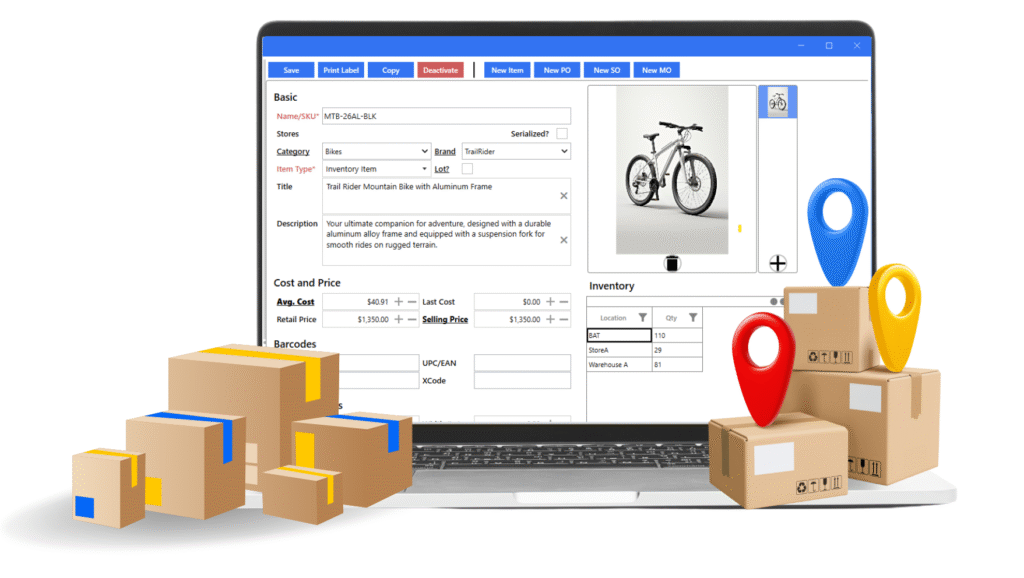
Data Is Centralized Across All Locations
Inventory software brings all locations into a single system. Instead of reconciling spreadsheets or using separate tools, businesses view inventory by location—including bin- and shelf-level locations—in one place. This improves visibility and reduces manual work. For example, C2W Inventory offers multi-location warehouse management with real-time inventory visibility across cloud-based Windows, Android, and web apps, so you always know exactly what you have and where it is.
Transfers Follow Structured Workflows
Inventory management systems treat transfers as tracked transactions rather than informal adjustments. This keeps stock levels accurate and creates a clear audit trail, even when inventory moves between small internal locations. For example, C2W Inventory makes transfers between warehouses, zones, shelves, or bins simple and logs them automatically via barcode scanning from any device.
Real-Time Updates Support Daily Operations
When inventory updates instantly, teams can rely on the numbers they see. This supports faster fulfillment, smoother production flow, and better planning. In practice, systems such as C2W Inventory allow businesses to track inventory quantities by location, record transfers between warehouses, zones, shelves, or bins, and use barcode scanning during receiving, picking, and adjustments. Because all locations share the same data, inventory remains synchronized across desktop, cloud, and mobile tools — supporting e-commerce, 3PL, and manufacturing operations alike.
Bringing It All Together
Multi-location inventory management becomes unavoidable as businesses grow. Without structure, managing inventory across locations leads to errors, delays, and unnecessary operational friction.
By tracking inventory at the location level, recording movements in real time, and using tools designed for multi-location workflows, like C2W Inventory, businesses can maintain accuracy, improve efficiency, and scale with confidence as operations expand.
Common Questions About Multi-Location Inventory Management
- What is multi-location inventory management?
It refers to tracking inventory separately by location so businesses know where stock is stored and how much is available at each site. - Is multi-location inventory management only for large businesses?
No. Many e-commerce sellers, 3PLs, and manufacturers need it as soon as inventory exists in more than one location. - Why do businesses use inventory software for multiple locations?
Inventory software centralizes data, reduces manual errors, and keeps inventory synchronized across all locations in real time.