


C2W INVENTORY

Inventory Software That Puts You
in
Control

Manage stock across locations, keep customer orders moving, and coordinate purchasing and manufacturing in one system. C2W Inventory gives office and warehouse teams shared inventory records, reducing the need for separate spreadsheets and manual updates.
14-day free trial • No credit card required.
capterra best ease of use 2025 Home
software advice best customer support 2025 Home
getapp best functionality features 2025 Home
Transparent dashboard and inventory card hero Home
FROM THE FIRST PO TO THE FINAL SHIPMENT

Everything you need.
One connected workflow.

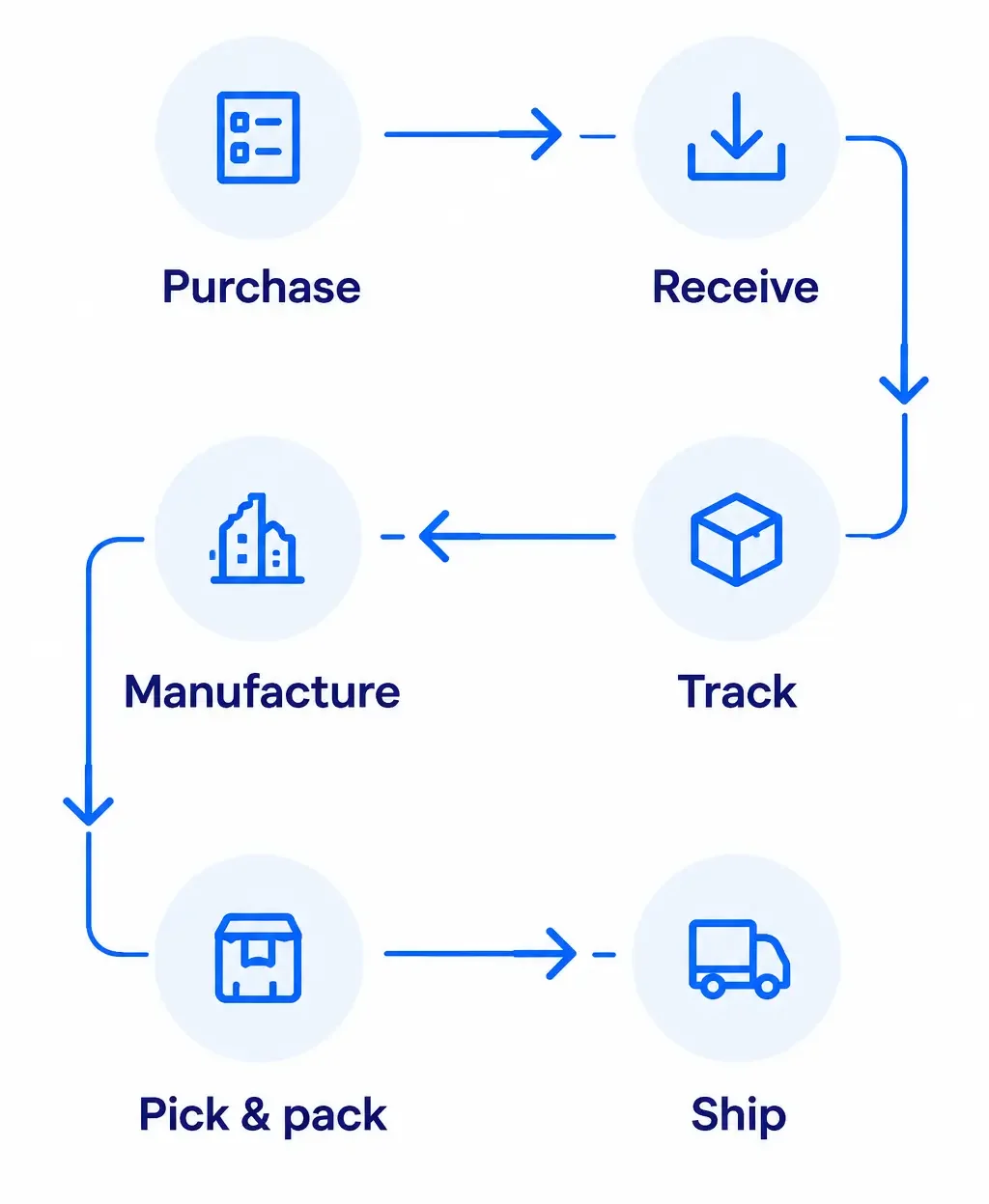
Connect purchasing, receiving, inventory, manufacturing, order fulfillment and shipping in one inventory management system.
bbd991fd 0c17 4b3a b143 bbccf1ea7c8d e1792443448699 Home

Purchase

Receive

Track

Manufacture

Pick & pack

Ship

EXPLORE C2W INVENTORY

Inventory, Orders, and
Materials Under Control

Manage stock, purchasing, customer orders, and product assembly with tools that help your team coordinate daily work and keep inventory records current.
Swipe for more features

Inventory Management

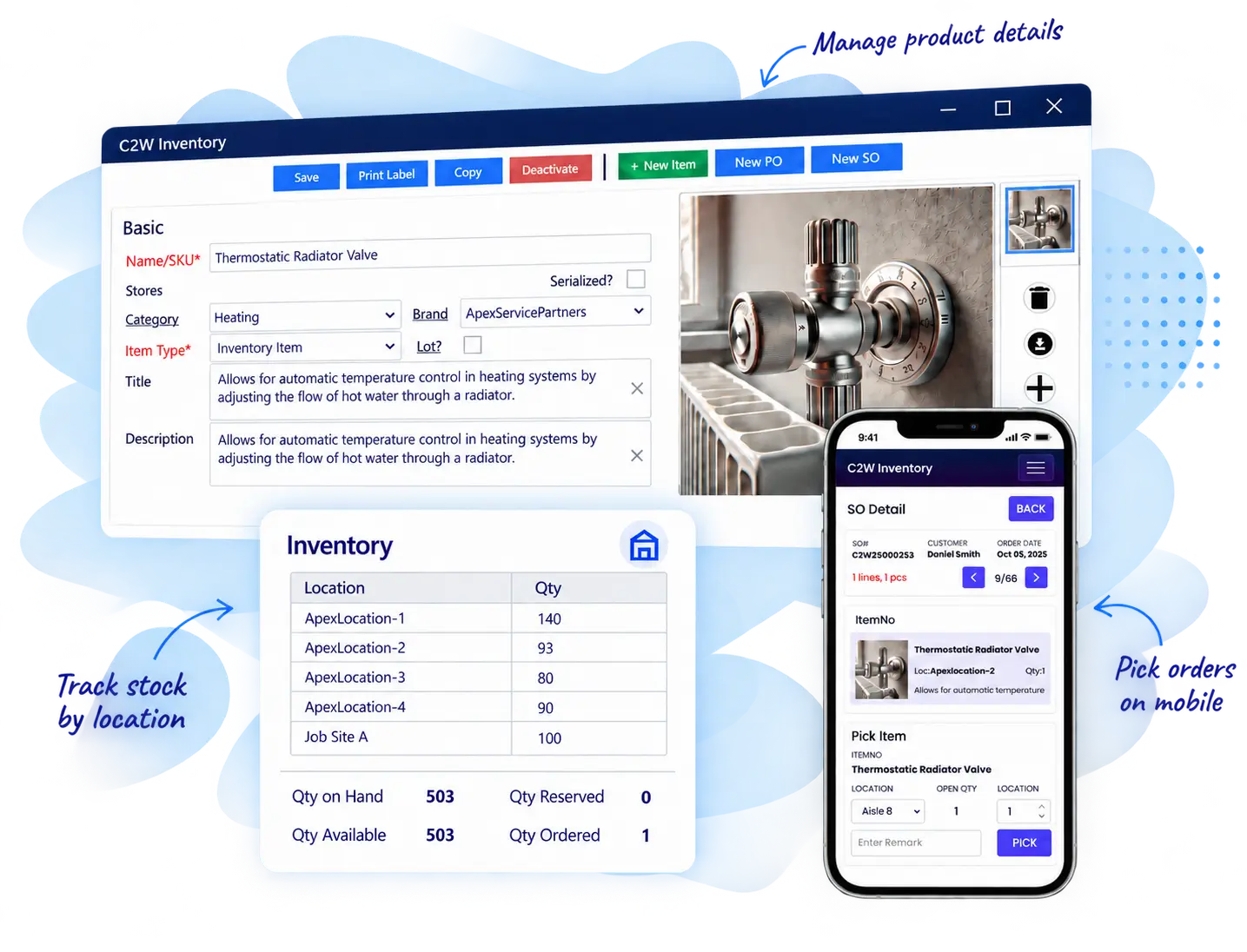
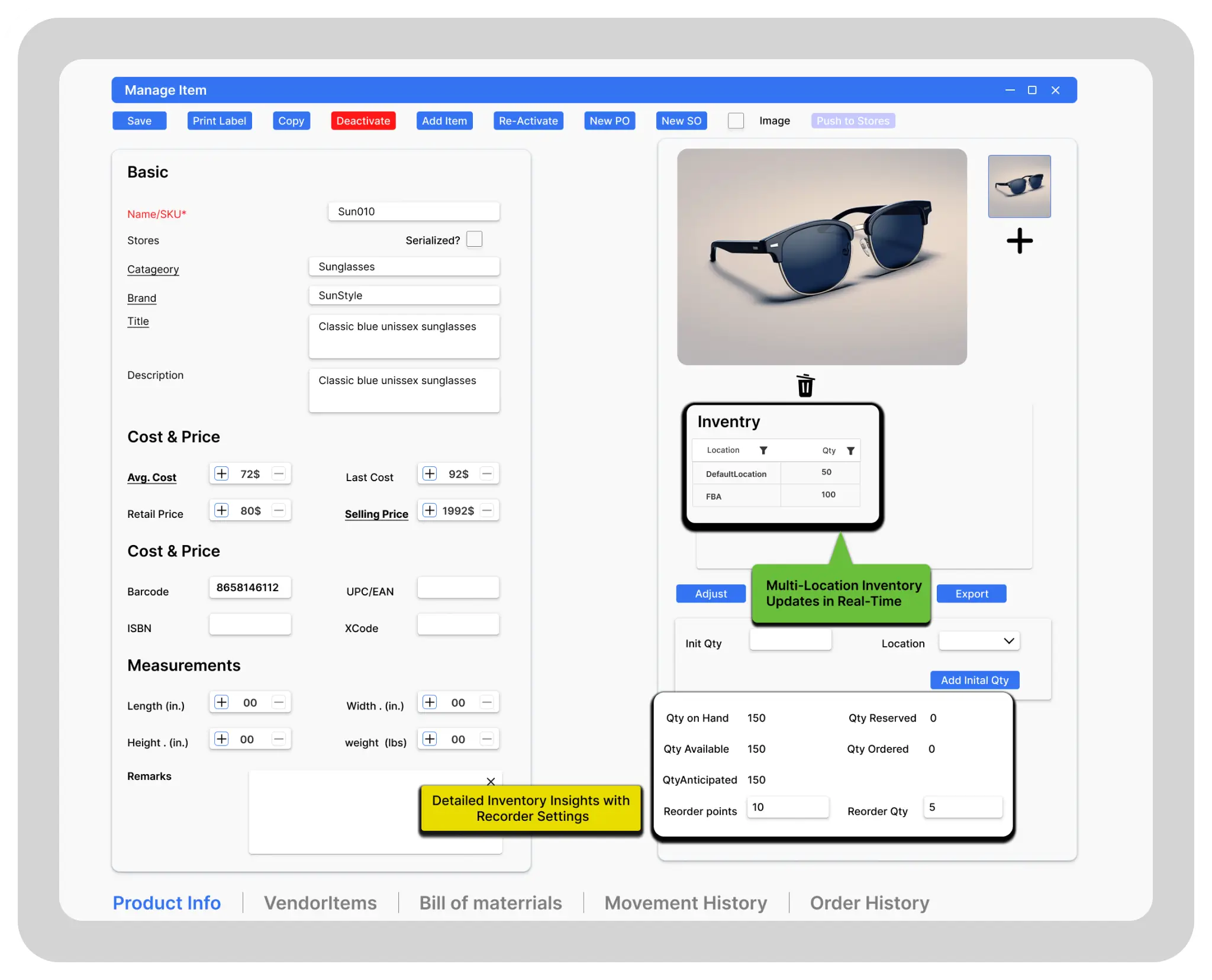
Track stock across locations, including quantities on hand, available, reserved, and anticipated. Use this visibility to check stock before committing to customer orders and identify items that need replenishment. Reorder points, transfers, adjustments, and barcode labels help your team maintain accurate records as inventory moves.
Swipe for more features
download 1 Home

Purchasing

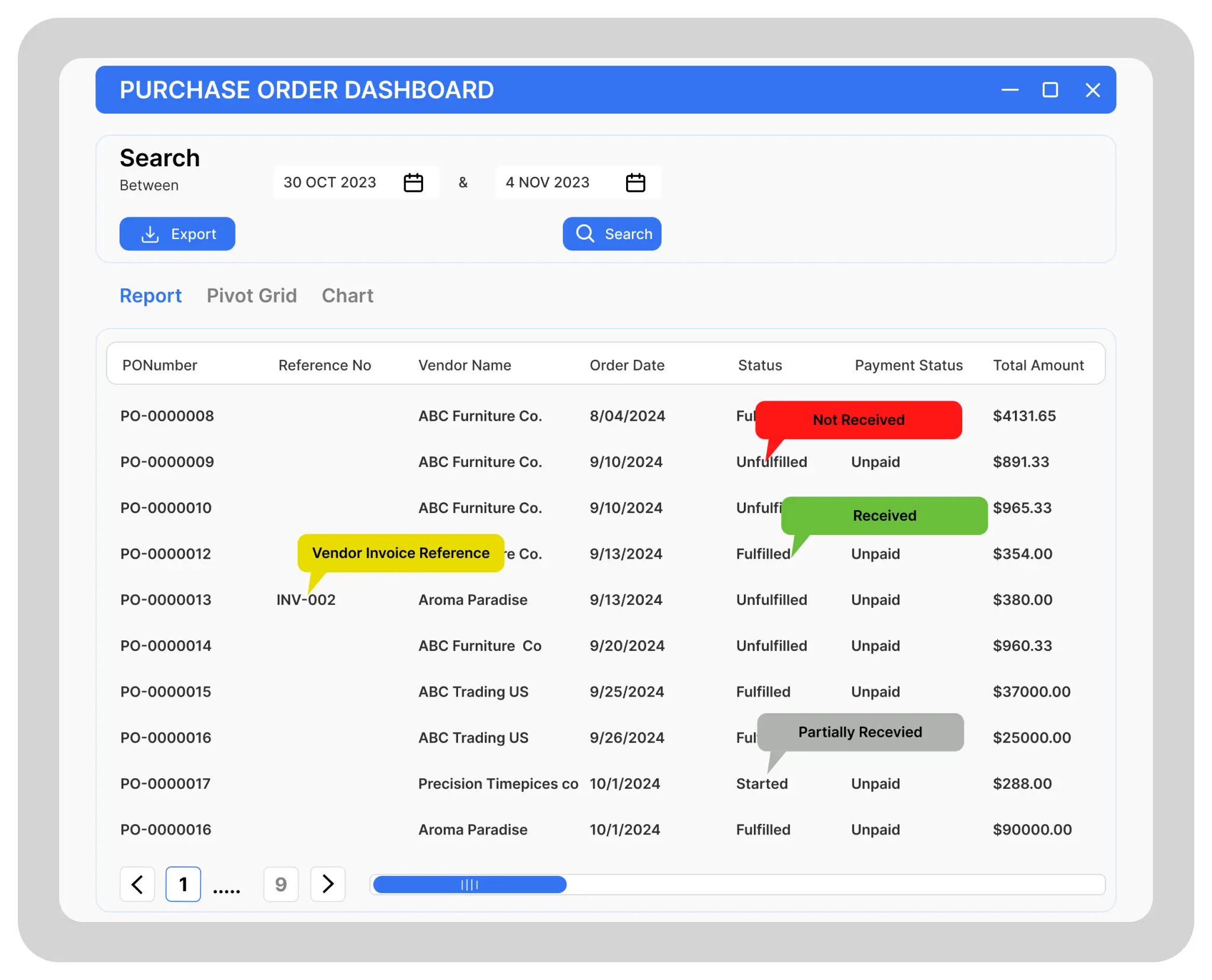
Create purchase orders, record incoming stock, and track quantities still outstanding. Keep vendor information, item costs, and purchasing history together so your team can follow up on incomplete deliveries and plan purchases against current inventory.
Purchase Managment Home

Sales & Fulfillment

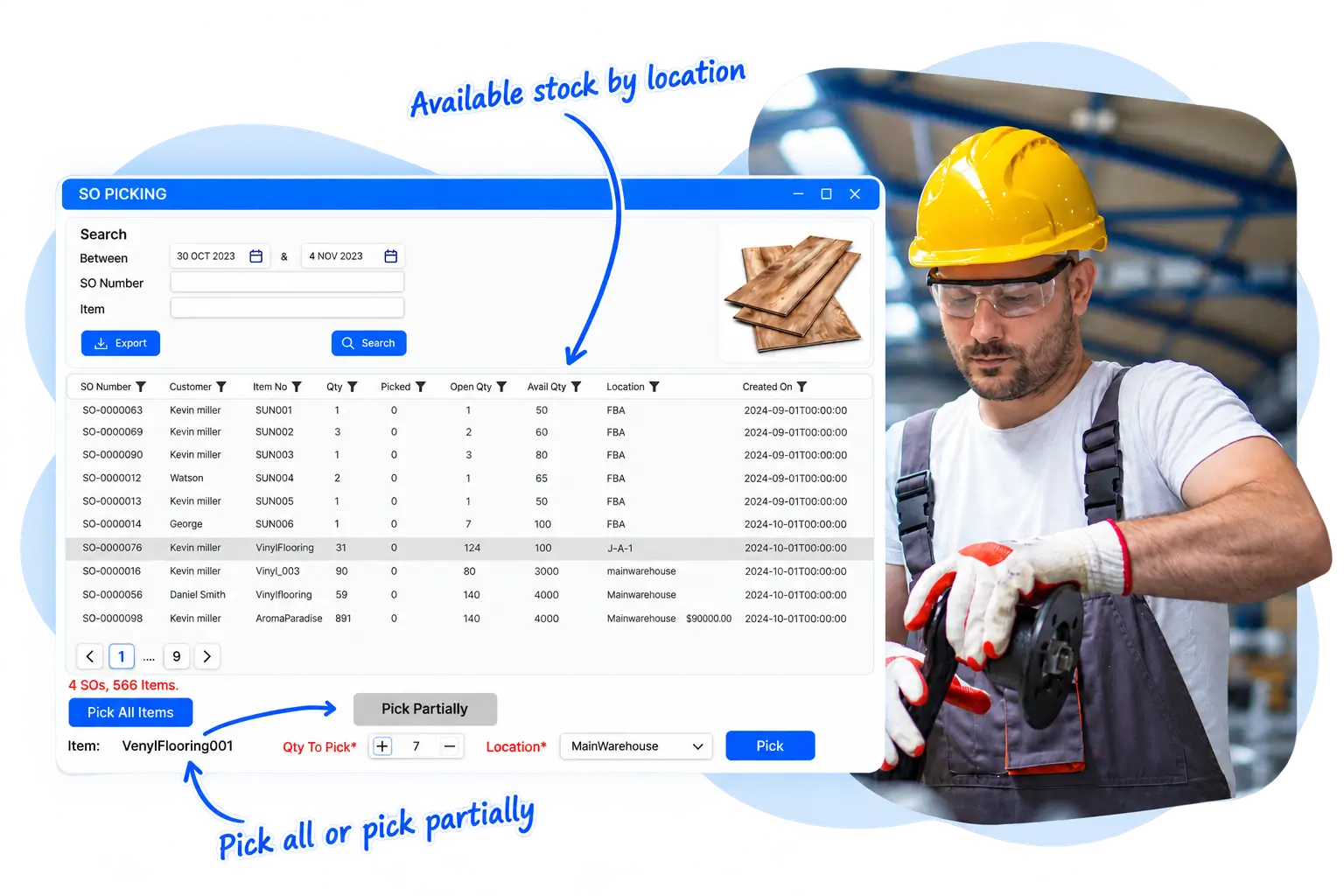
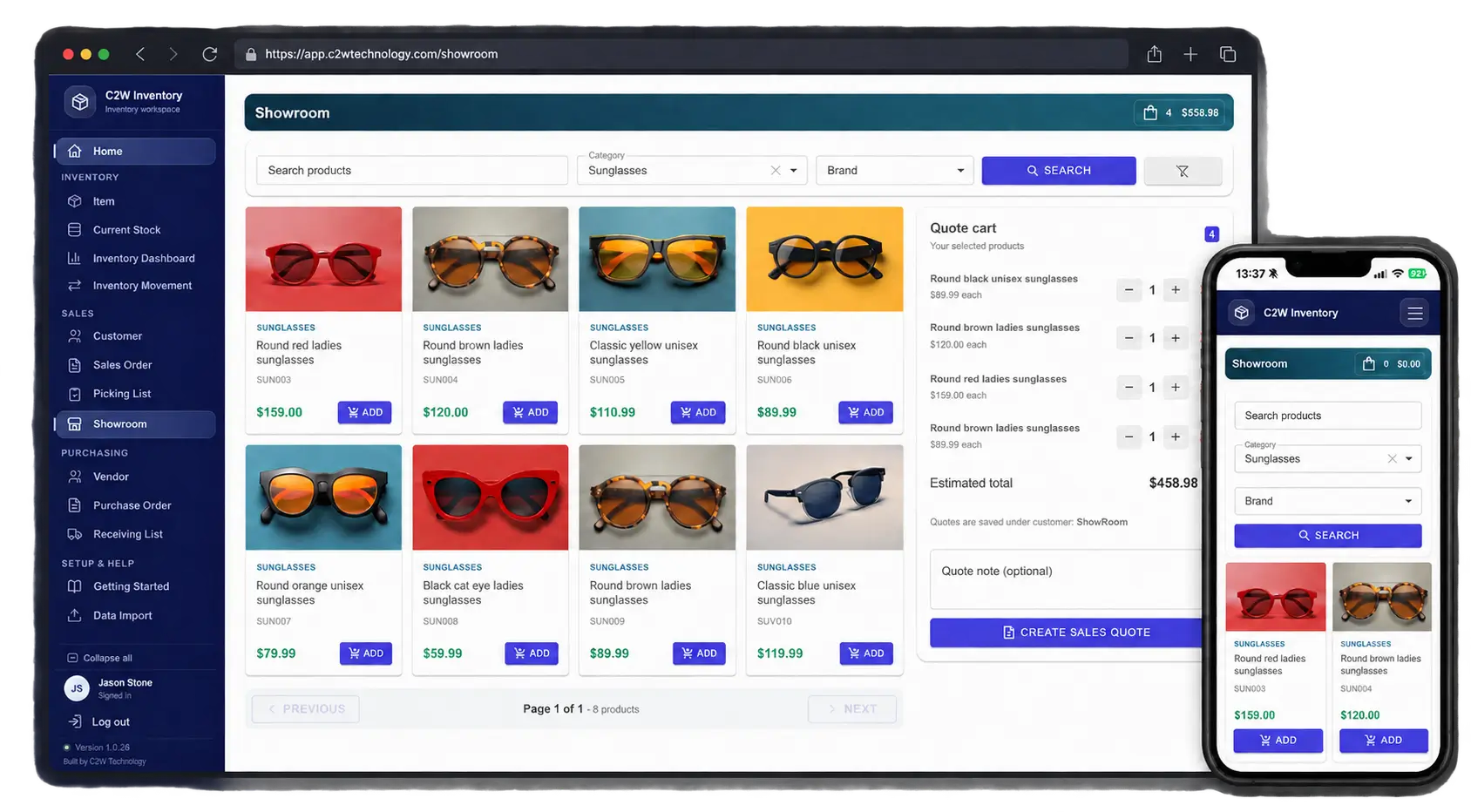
Manage sales orders from entry through fulfillment. Reserve available stock, organize picking, and handle partial shipments while keeping order status and inventory quantities up to date. Office and warehouse teams can coordinate orders with fewer manual updates.
Warehouse picking interface with stock availability 3 Home

Warehousing

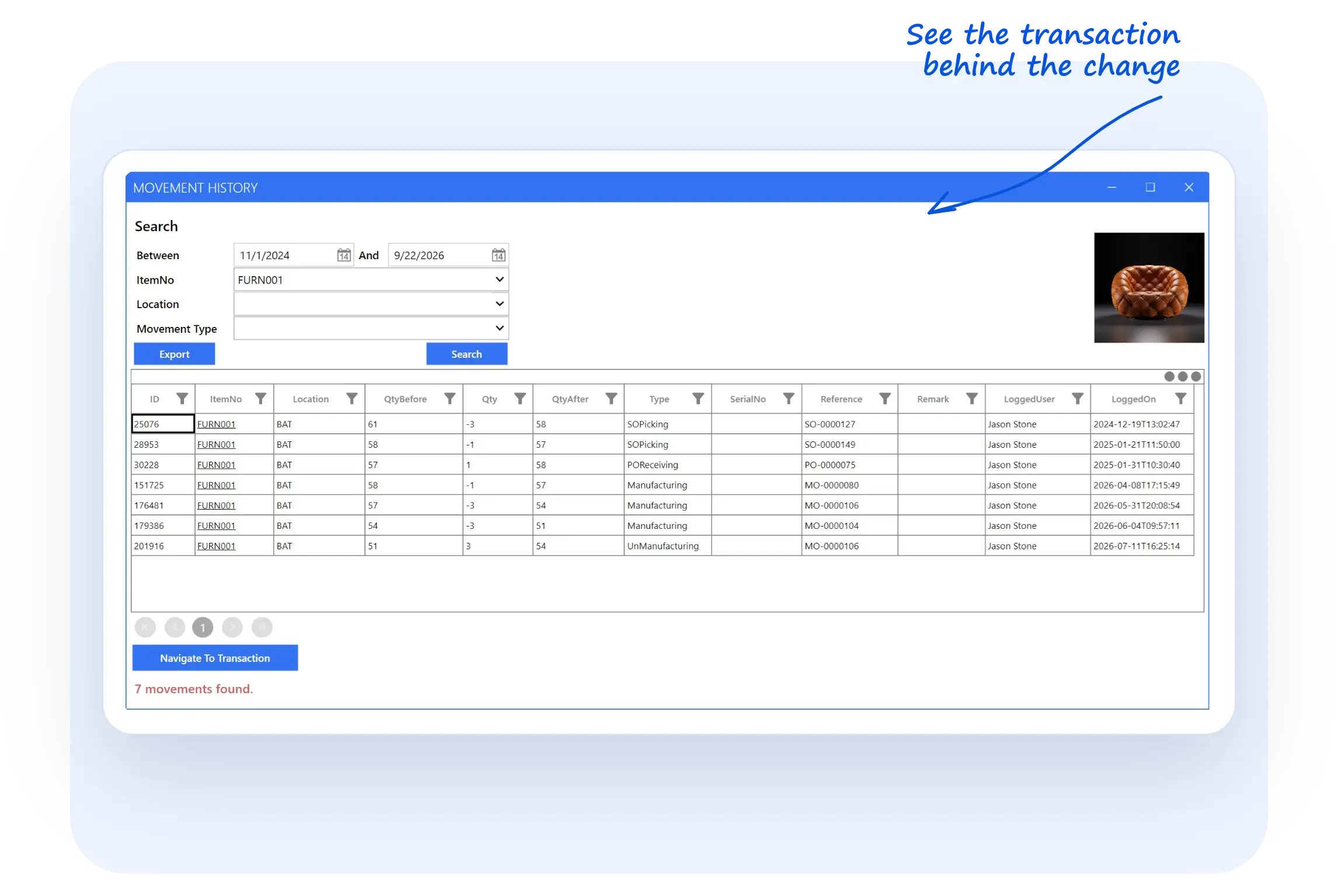
Track inventory across warehouses, locations, and bins so your team can find stock for picking and replenishment. Record transfers, adjustments, and stock counts, with barcode workflows that reduce manual item entry during warehouse tasks.
c2w inventory activity composition segoe print Home

Manufacturing

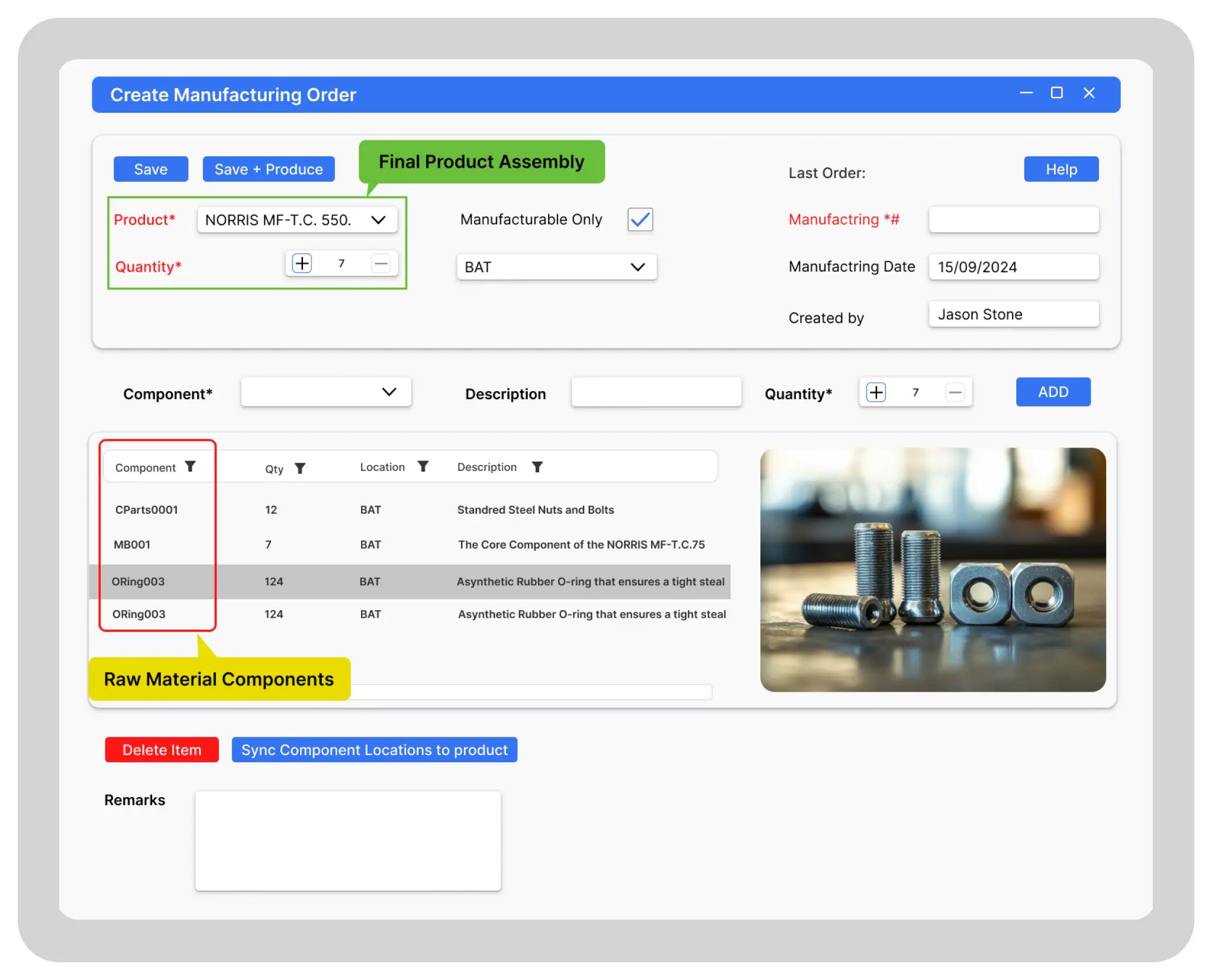
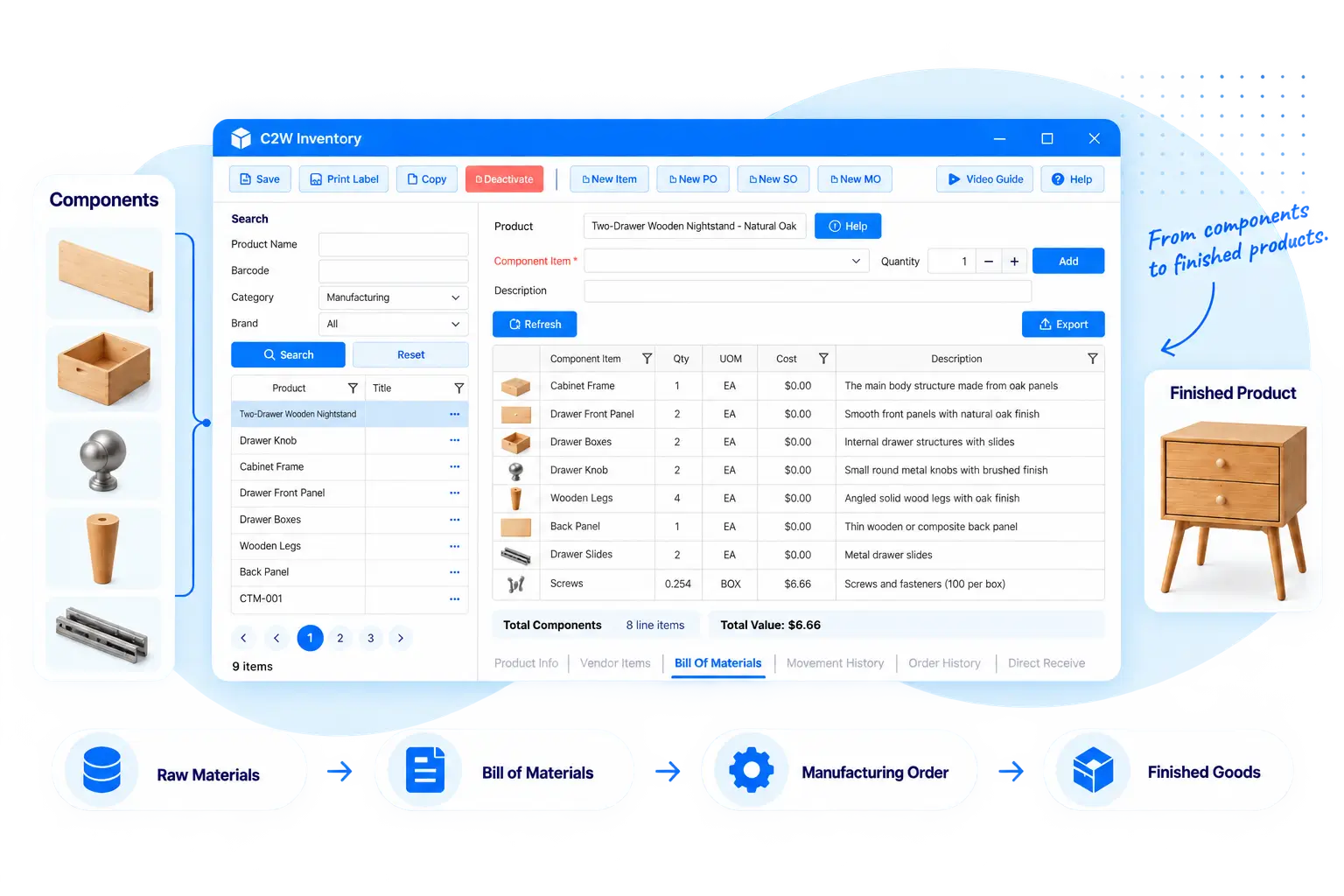
Define bills of materials and manage manufacturing orders, kits, and assemblies. Completing a manufacturing order updates the components consumed and the finished goods produced, helping purchasing and fulfillment teams work from current quantities instead of separate production records.
Manufaturing Management Corrected Home

Reporting

Review stock levels, open sales and purchase orders, purchasing activity, and reorder needs through reports and dashboards. Bring these details together to follow up on outstanding orders and plan purchases without compiling separate spreadsheets.
Manufaturing Management Corrected Home
INVENTORY CONTROL

Stay Ahead of Stock Changes

See available stock, identify items that need reordering, and record transfers and adjustments as inventory moves.

01

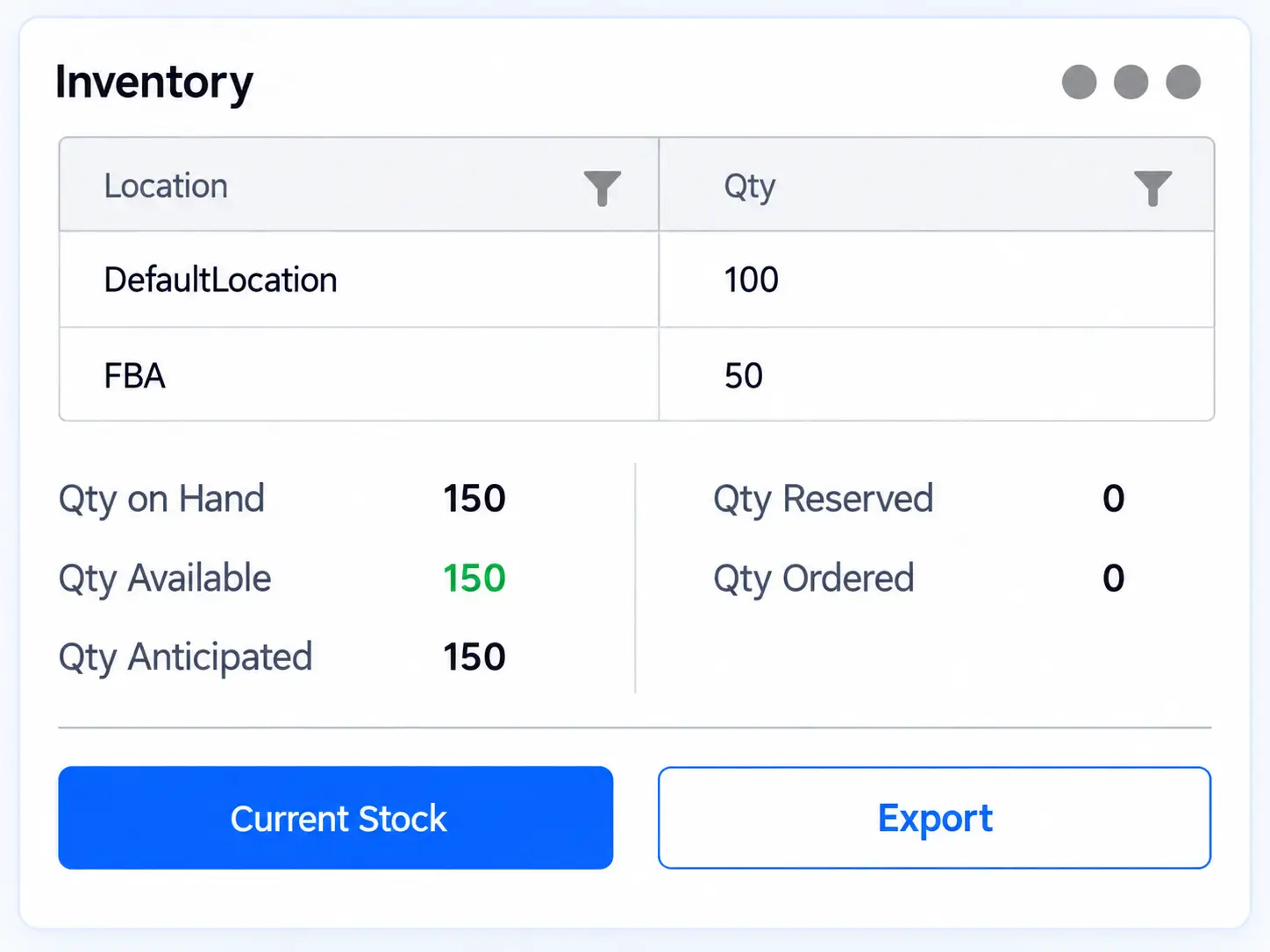
Know What’s Available

See inventory across locations and understand what’s on hand, reserved, available and anticipated.
download 1 1 Home

02

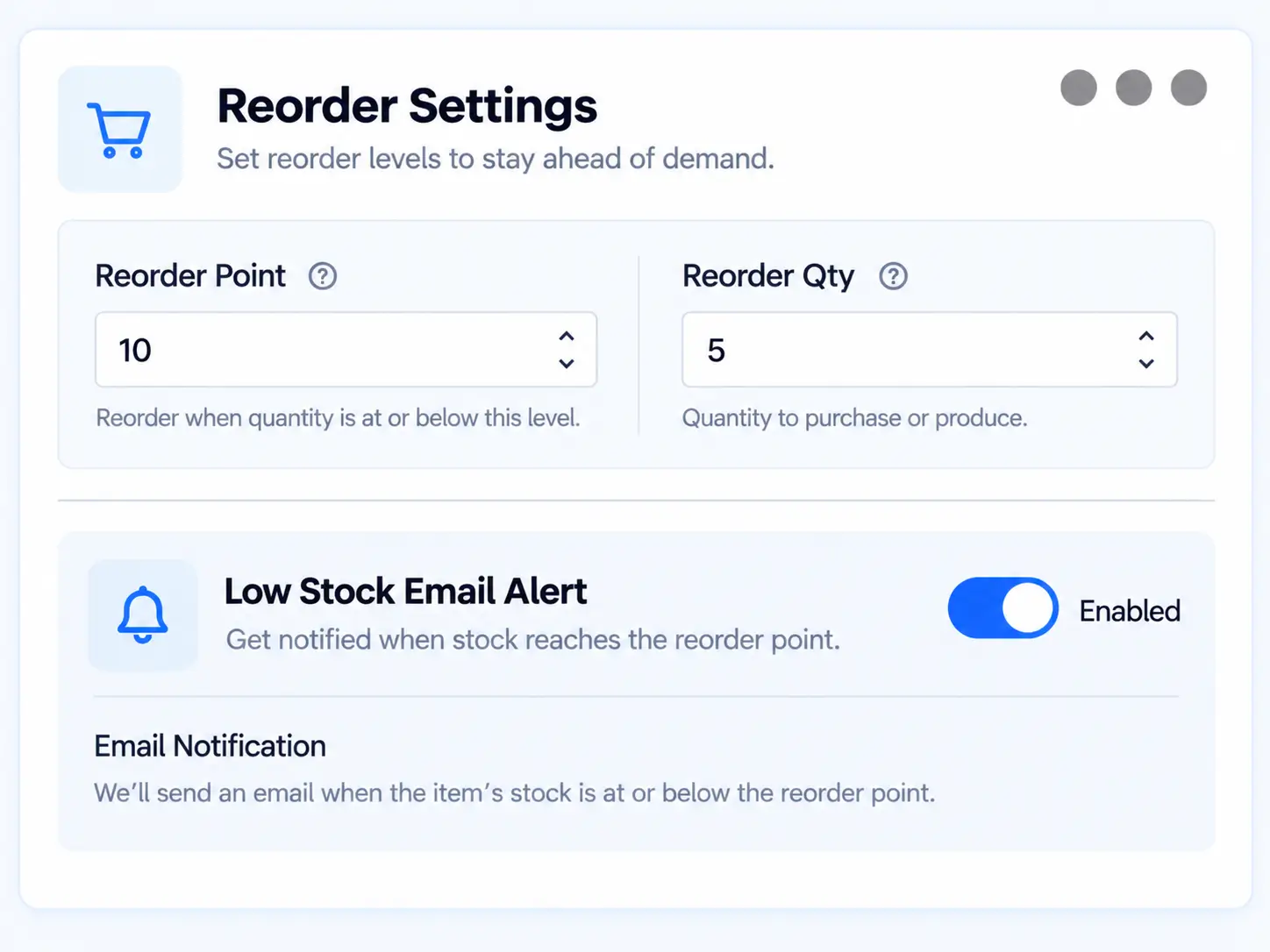
Know When to Reorder

Set reorder points and identify low-stock items before inventory runs short.
download 2 Home

03

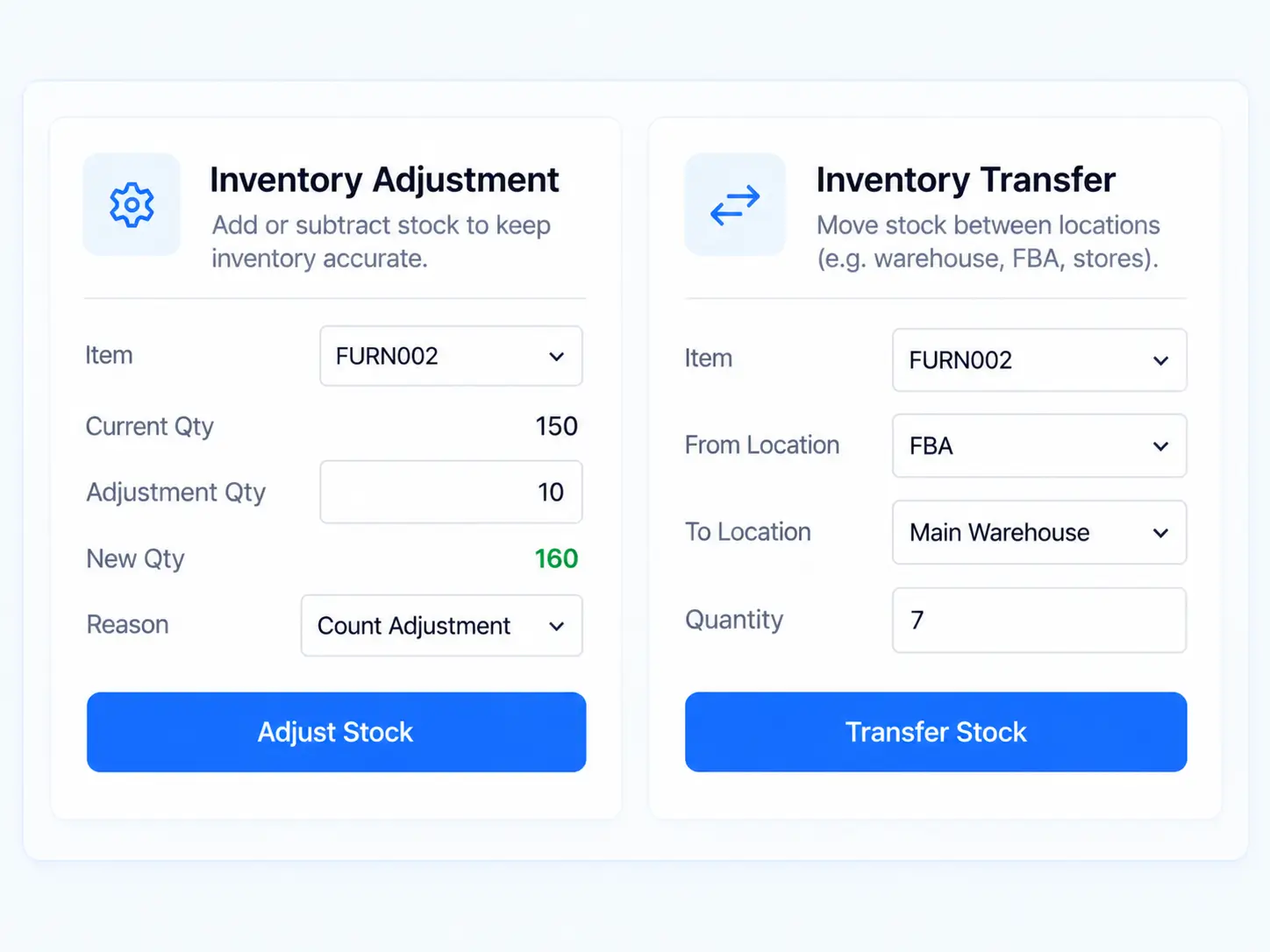
Keep Stock Accurate

Adjust quantities and transfer inventory between locations while keeping stock records up to date.
download 3 Home
Manufacturing workflow with product cards 1 Home
MORE THAN STOCK MANAGEMENT

Bring Production
and Inventory Together

Define bills of materials, create manufacturing orders from sales orders, and manage kits and assemblies in the Windows desktop app. Completing a manufacturing order updates the components consumed and the finished goods produced, with inventory data synchronized across platforms.
BARCODE & MOBILE INVENTORY

Scan Barcodes and
Keep Inventory Moving

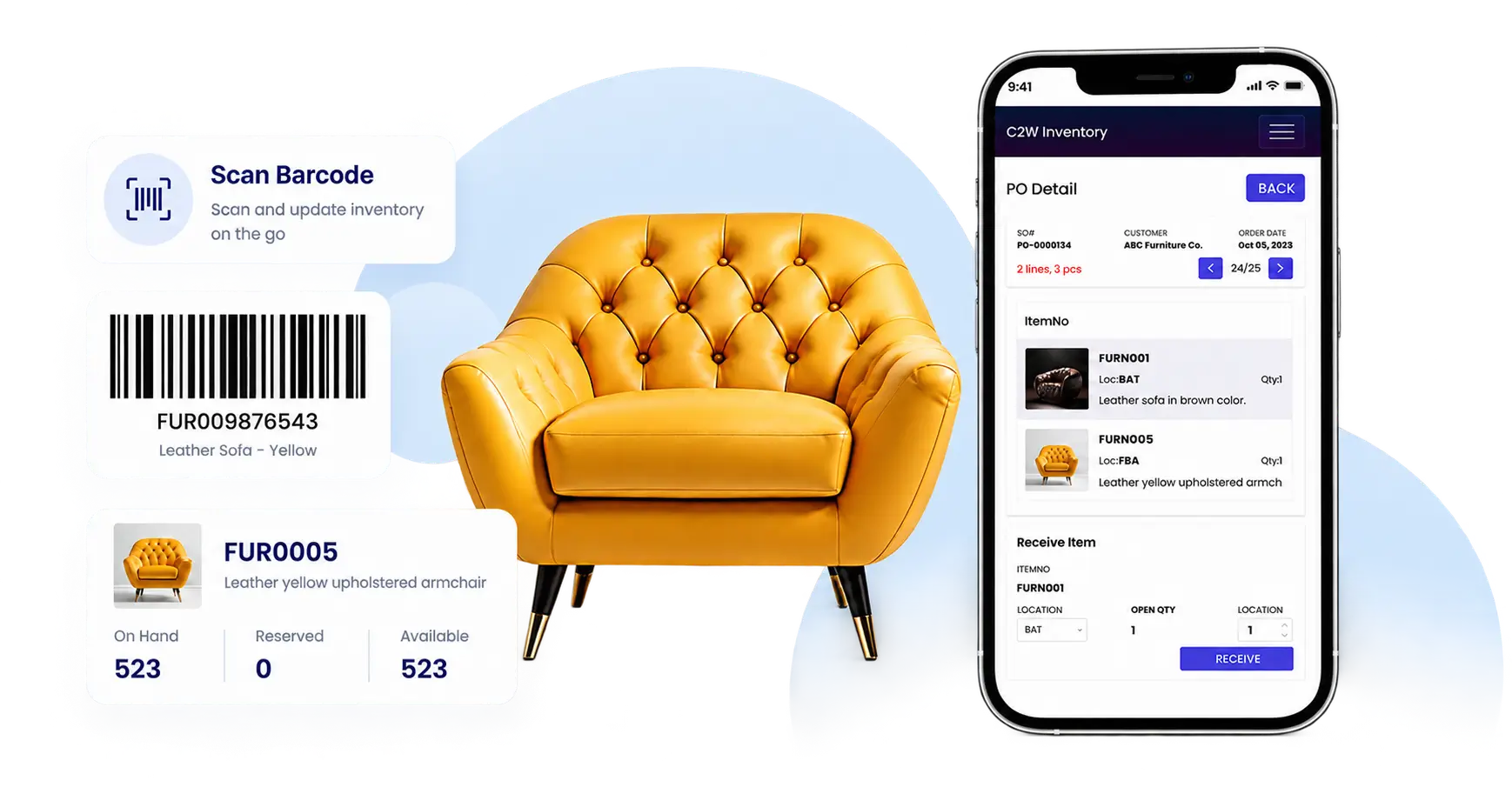
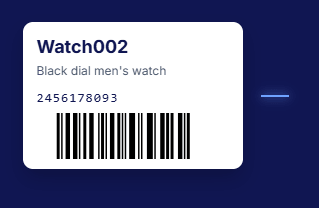
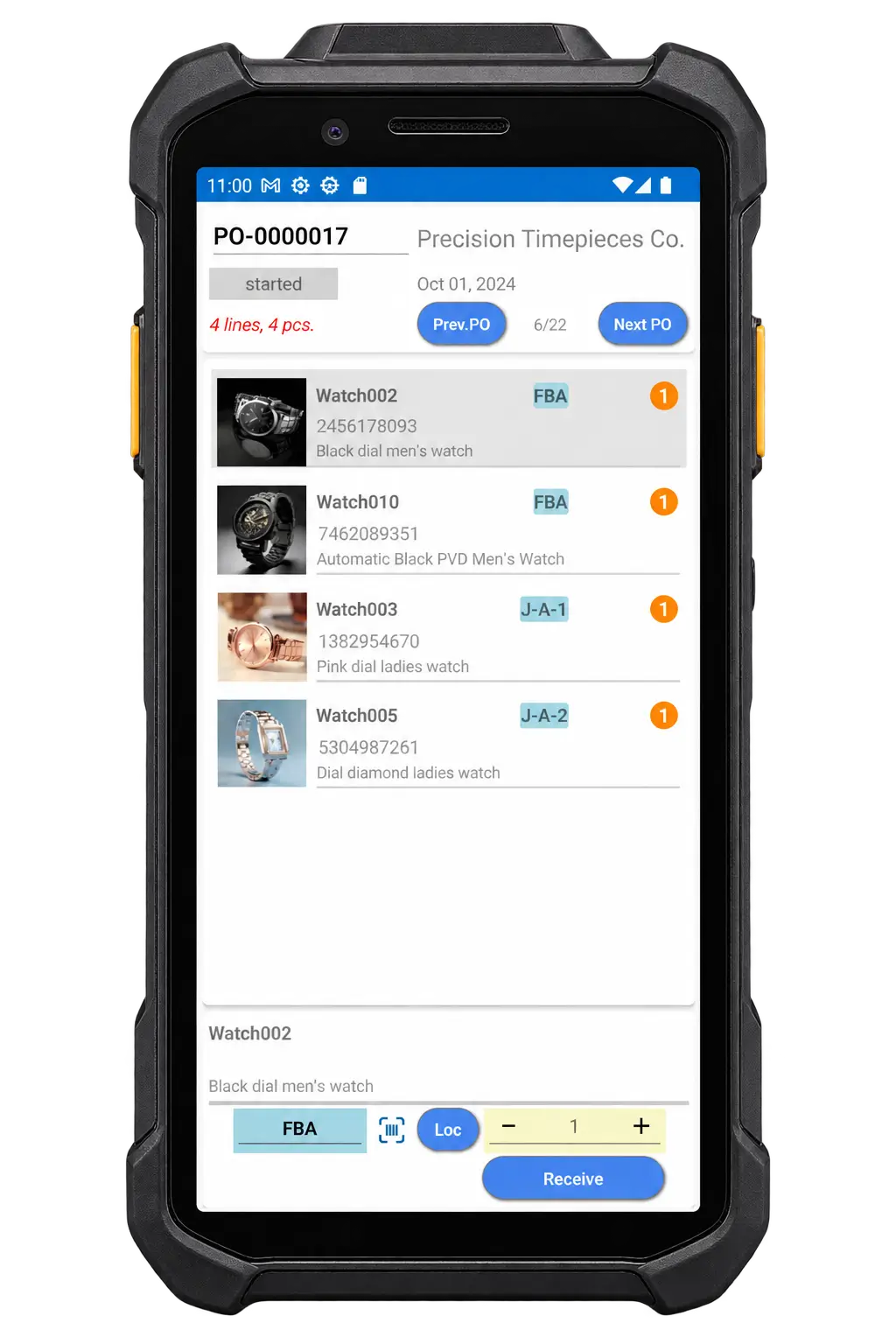
Use the barcodes already on your products, or create and print barcode labels in C2W. Scan with your mobile phone or a compatible Android scanning device to identify items and update inventory with less manual entry.

Create and print labels

Give products barcode labels your team can use for everyday inventory tasks.

Look up inventory

Check item details and stock availability while handling products.

Mobile phone

Use your phone to scan barcodes and handle everyday receiving, picking, lookups, transfers, adjustments, and counts.

Receive and pick

Scan items during receiving and order picking to reduce manual item entry.

Transfer, adjust, and count

Record stock movements and quantity changes where the work happens.

Android scanning device

Handle the same tasks with Android SmartScan and a built-in barcode scanner for faster, repeated scanning during high-volume work.

Barcode inventory UI armchair and smartphone 2 Home
ONE PLATFORM. THREE WAYS TO WORK.

Work Wherever Inventory Moves

Manage your inventory and orders through your browser, on Windows, or with an Android scanner. Choose the platform that suits your team, with shared inventory data across all three.
c2w web app desktop mobile Home
c2w windows desktop laptop Home
Screenshot 2026 10 14 234411 Home
c2w android smartscan receiving Home
ONE PLATFORM. THREE WAYS TO WORK.

Work Wherever Inventory Moves

Manage your inventory and orders through your browser, on Windows, or with an Android scanner. Choose the platform that suits your team, with shared inventory data across all three.
Web App
c2w windows desktop laptop Home
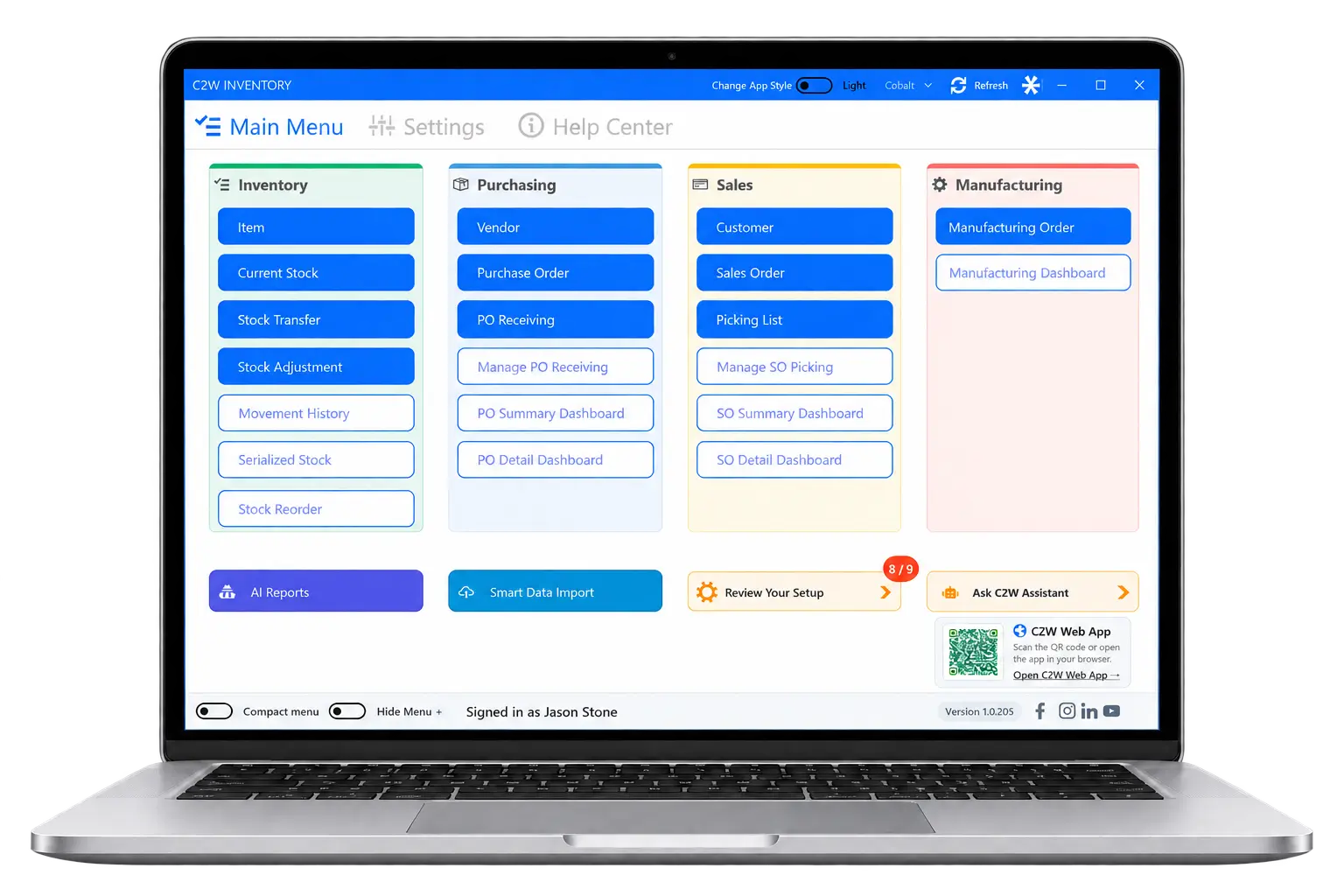
Work with inventory, orders, and manufacturing in the Windows application, with additional tools for batch processing, printing, and system configuration.
Screenshot 2026 10 14 234411 Home
c2w android smartscan receiving Home
Handle receiving, picking, transfers, adjustments, and inventory counts with barcode scanning built for frequent scans and higher-volume warehouse work.
AI ASSISTANCE

Less Manual Work for Your Everyday Tasks

C2W Inventory puts AI to practical use, helping you spend less time preparing data and finding the information you need. Bring in existing business records and request reports in your own words, by typing or speaking.
IMPORT DATA

Get Started with the Data You Already Have

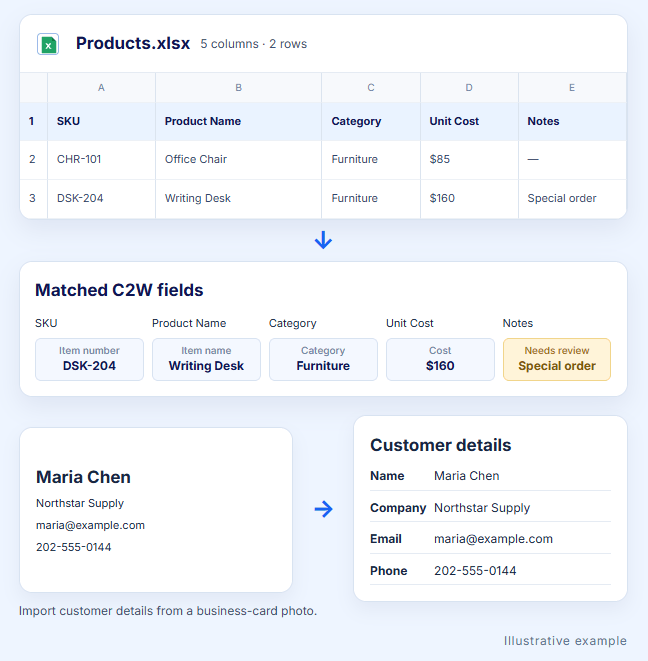
Drag in the spreadsheets your business already uses. C2W can match columns to inventory fields without requiring a standard template, so you can start with the records you have.
Items and product details

Purchase orders

Sales orders

Vendors

Customers

Review the detected information before saving. Map unmatched fields manually or leave them out.
Screenshot 2026 10 14 235752 Home
ASK FOR REPORTS

Ask for the Report You Need

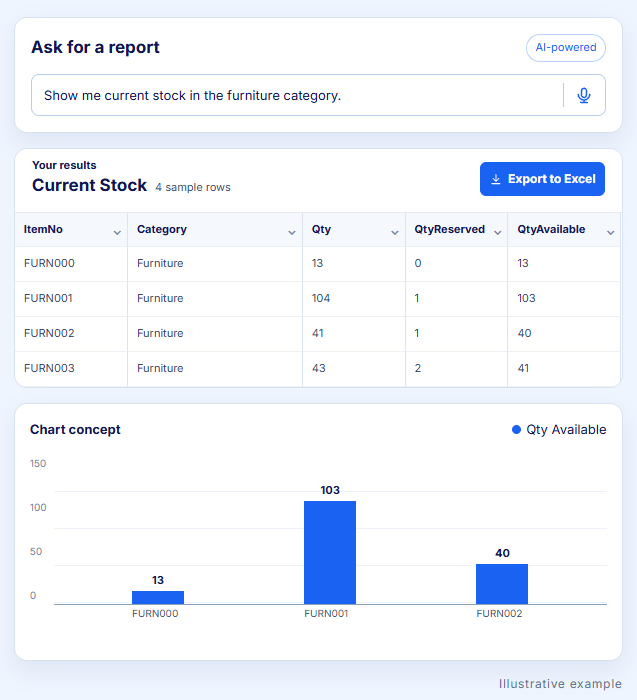
Type or speak your request. C2W selects a matching configured report and fills its filters. Review the results and export them to Excel.
Everyday language

Describe the report you need in your own words.

Voice or text input

Type your request or use voice input.

Excel export

Review the results and export them to Excel.

Works with reports configured for your business.
Screenshot 2026 10 14 235824 Home
BUILT FOR YOUR BUSINESS

Built for Businesses That Move Inventory

Flexible inventory management for growing small and mid-sized businesses across industries.
INTEGRATIONS

Connect the Tools That Run Your Business

Connect C2W Inventory with the ecommerce, accounting and shipping tools your business already uses.
Image gallery marquee
download 10 Home

More sales channels through Veeqo

+ more
Image gallery marquee
CUSTOMER PERSPECTIVES

What Customers Say About C2W

Overall, while I wouldn’t call this the absolute best inventory management software worldwide, it’s definitely the best fit for us. It’s affordable and fully functional. The software makes tracking inventory, creating sales and purchase orders easy, and its reports are clear. The dashboard showing open sales and purchase orders, along with items to reorder, is really helpful.
Louis Ng

Marketing Manager
IDM Apparel PTE. LTD.

The software is extremely adaptable to our needs. It functions for pretty much for whatever we need and has adapted towards it very well. There aren’t that many issues we’ve run into with them. Whenever we have we reach out to them and they fix them in a timely manner. Their customer service is extremely top notch. Overall, I highly recommend their software and this company.
Isabella G

Software Developer
Cloud Sourcing International INC..

Great customer support. Every question and request we have had so far was dealt with by Anna, with speedy response and friendly service User friendly and easy to learn to use. Very informative reports. Accurate inventory management and has kept up well with the large amount of info we needed to keep track of Very happy. Customer support is personalised and C2W has strived to solve each one of our queries. Definitely a good move to this software
Anita W

Finance and Operations Manager
ABC Solar

READY TO GET STARTED?

See How C2W Fits Your Business

Try C2W Inventory with your own items and orders, or book a demo to talk through your workflow with our team.
14-day free trial • No credit card required.
capterra best ease of use 2025 Home
software advice best customer support 2025 Home
getapp best functionality features 2025 Home
c2w team packing orders cta Home
Scroll to Top