
WAREHOUSE MANAGEMENT
Warehouse Management Software That Keeps Inventory Moving
See stock across warehouses and storage locations. Use barcode scanning to receive, move, and pick inventory, and check physical counts against your records.
14 day free trial. No credit card required.
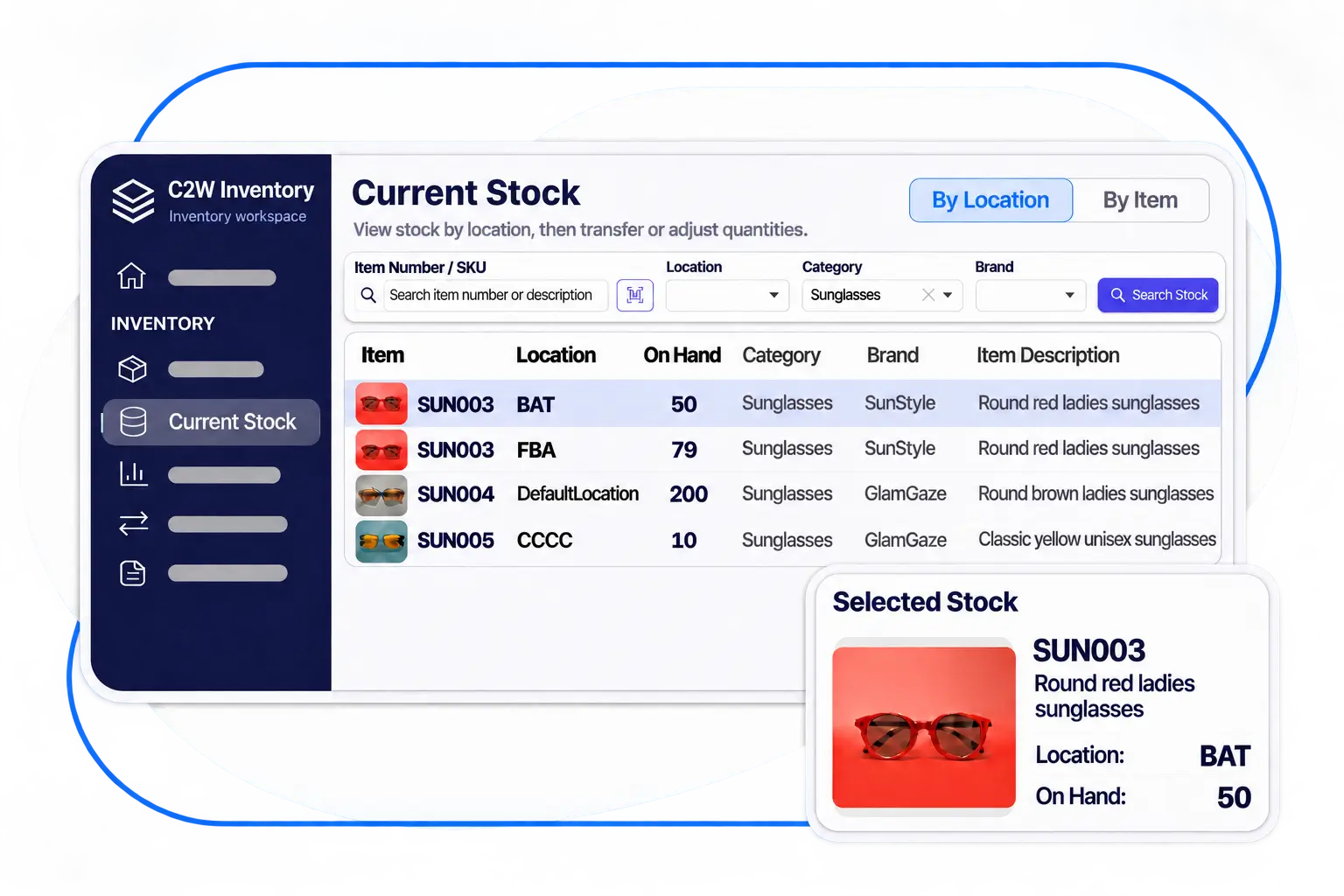
Every warehouse in one view
Get real-time inventory visibility across warehouses, shelves, and bins, so your team can see which location has enough stock to fill an order.
Reduce warehouse errors
Scan barcodes to verify items during warehouse workflows.
Keep operations moving
Keep receiving and fulfillment moving with inventory records linked to warehouse work.
MULTI-WAREHOUSE INVENTORY
See Your Inventory Across Every Location
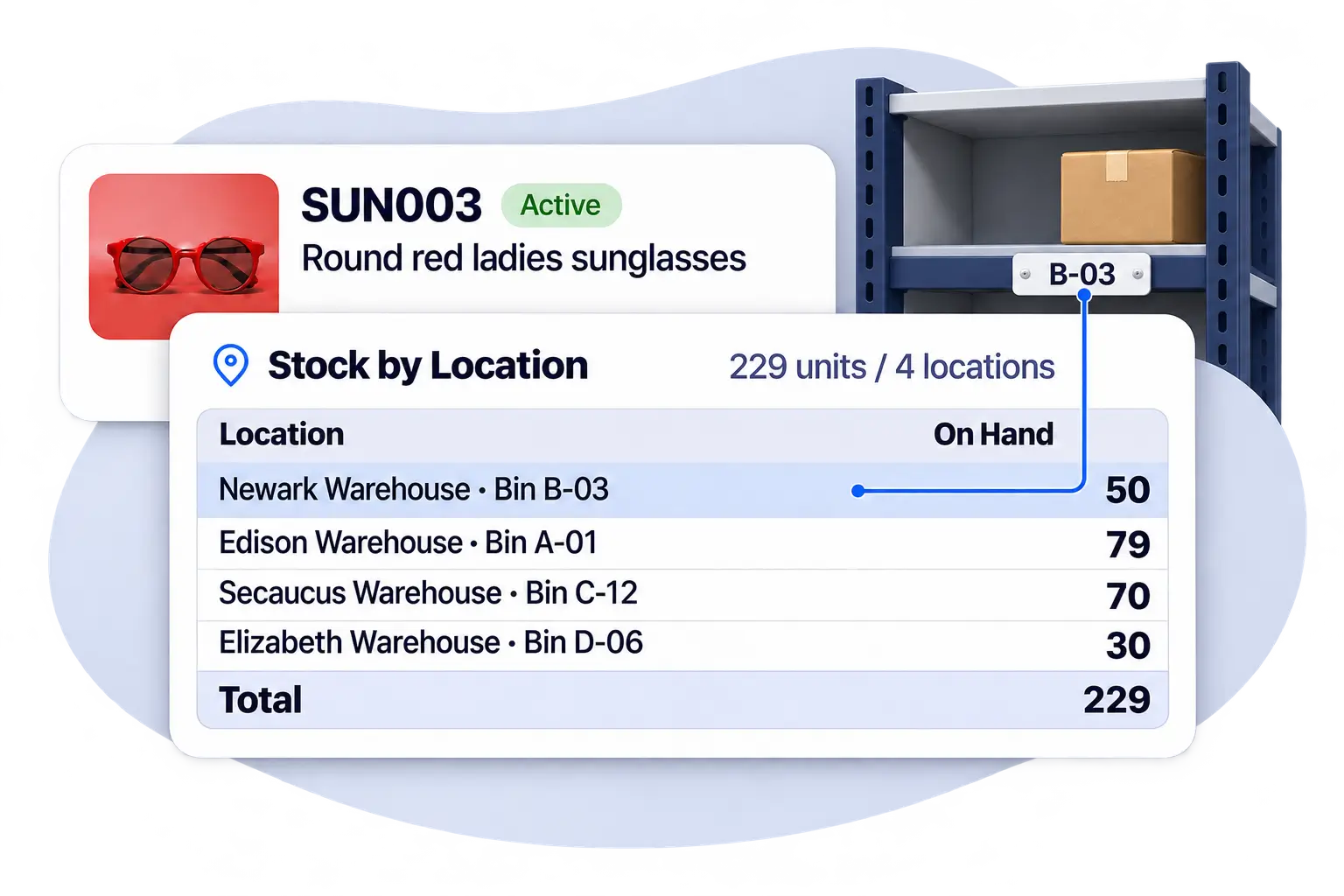
Whether you manage multiple warehouses or simply organize stock by rooms, shelves, or bins, C2W Inventory gives you the flexibility to track inventory wherever it’s stored. View quantities by location and quickly find the stock you need.
Stock visibility down to the bin
See how much of an item is stored at each location before picking an order or moving stock.
Find products faster
Identify where items are stored without searching through separate records.
Better stock decisions
Check availability before replenishing, transferring, or fulfilling orders.
STOCK MOVEMENT & CONTROL
Move Stock Without Losing Track
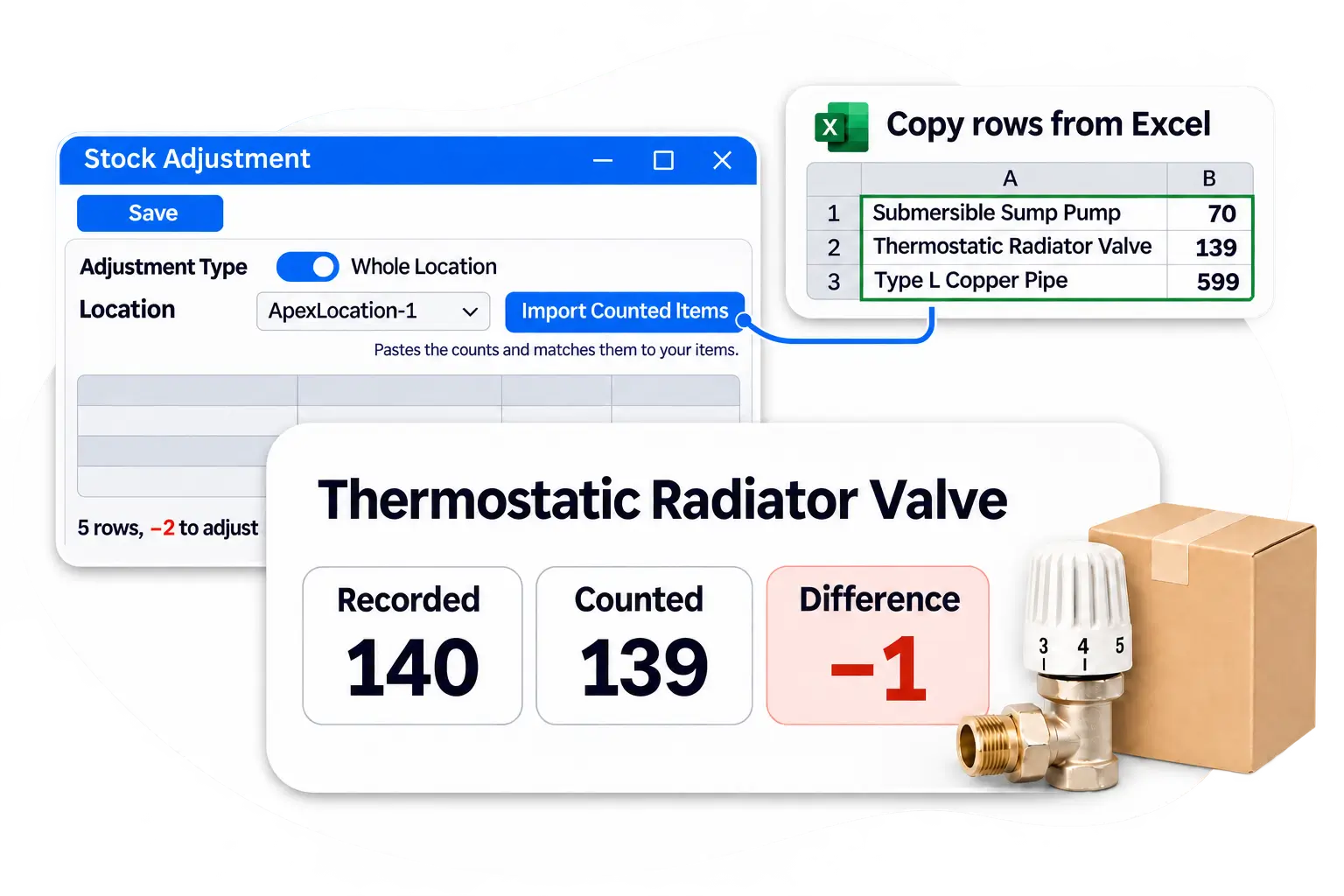
Record transfers between warehouses, check physical counts against your inventory records, and see how stock quantities changed over time.
Warehouse transfers
Move inventory between warehouses with recorded transfer transactions.
Stock counts by location
Compare physical counts with recorded quantities and review differences before adjusting stock.
Inventory history
Review recorded transactions to understand when and how stock quantities changed.
MOBILE WAREHOUSE OPERATIONS
Get More Done with Mobile Barcode Scanning
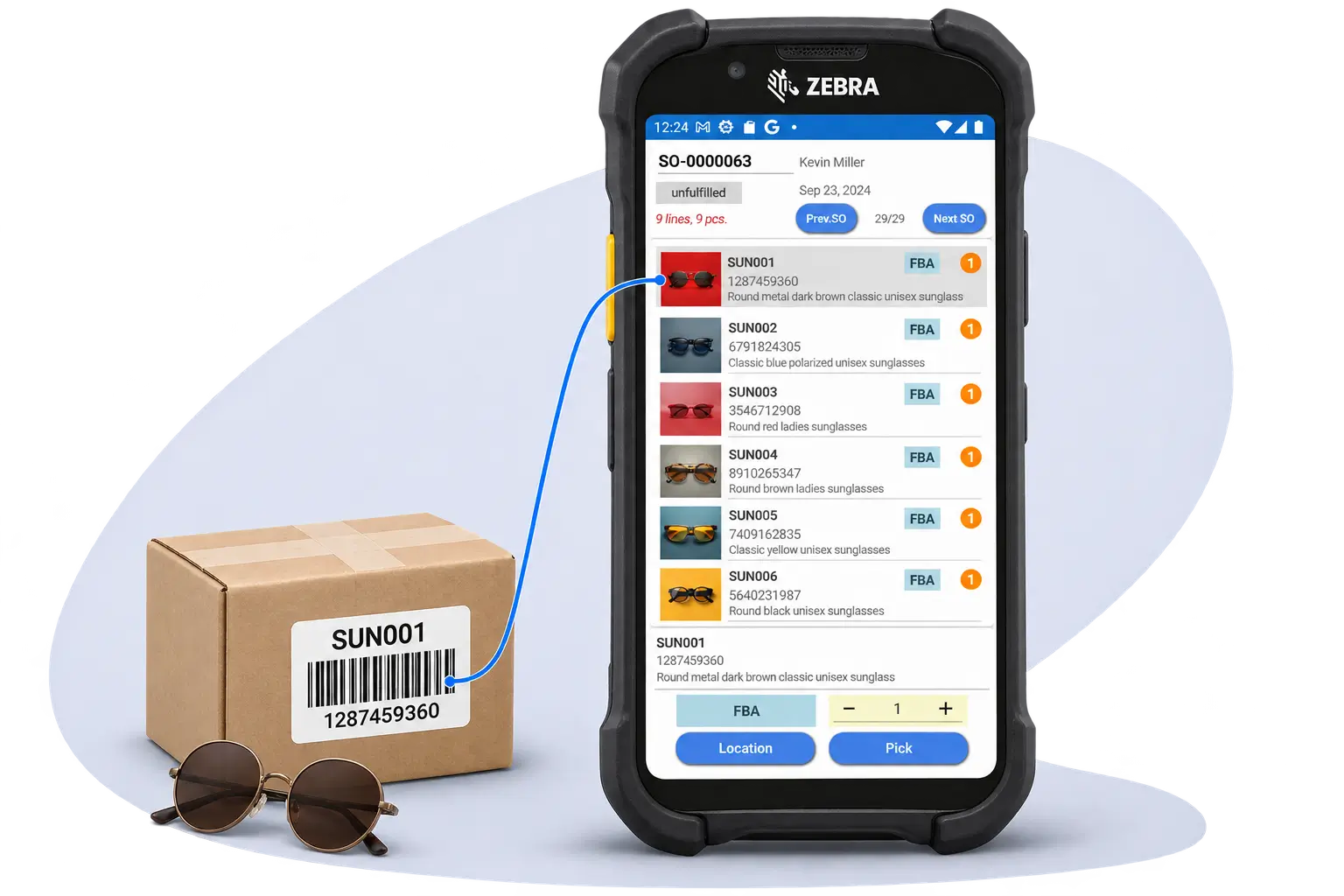
Barcode scanning helps your team verify items as they work on a phone or tablet. For high-volume scanning, C2W SmartScan works with Android handheld scanners.
Verify items with barcode scanning
Scan product barcodes to identify items during supported warehouse workflows.
Scannable labels for your products
Print custom barcode or QR labels for individual items or in batches.
Update inventory as you work
Record supported receiving, picking, transfers, and adjustments without returning to a desktop computer.
WAREHOUSE WORKFLOWS
Keep Warehouse Operations Moving
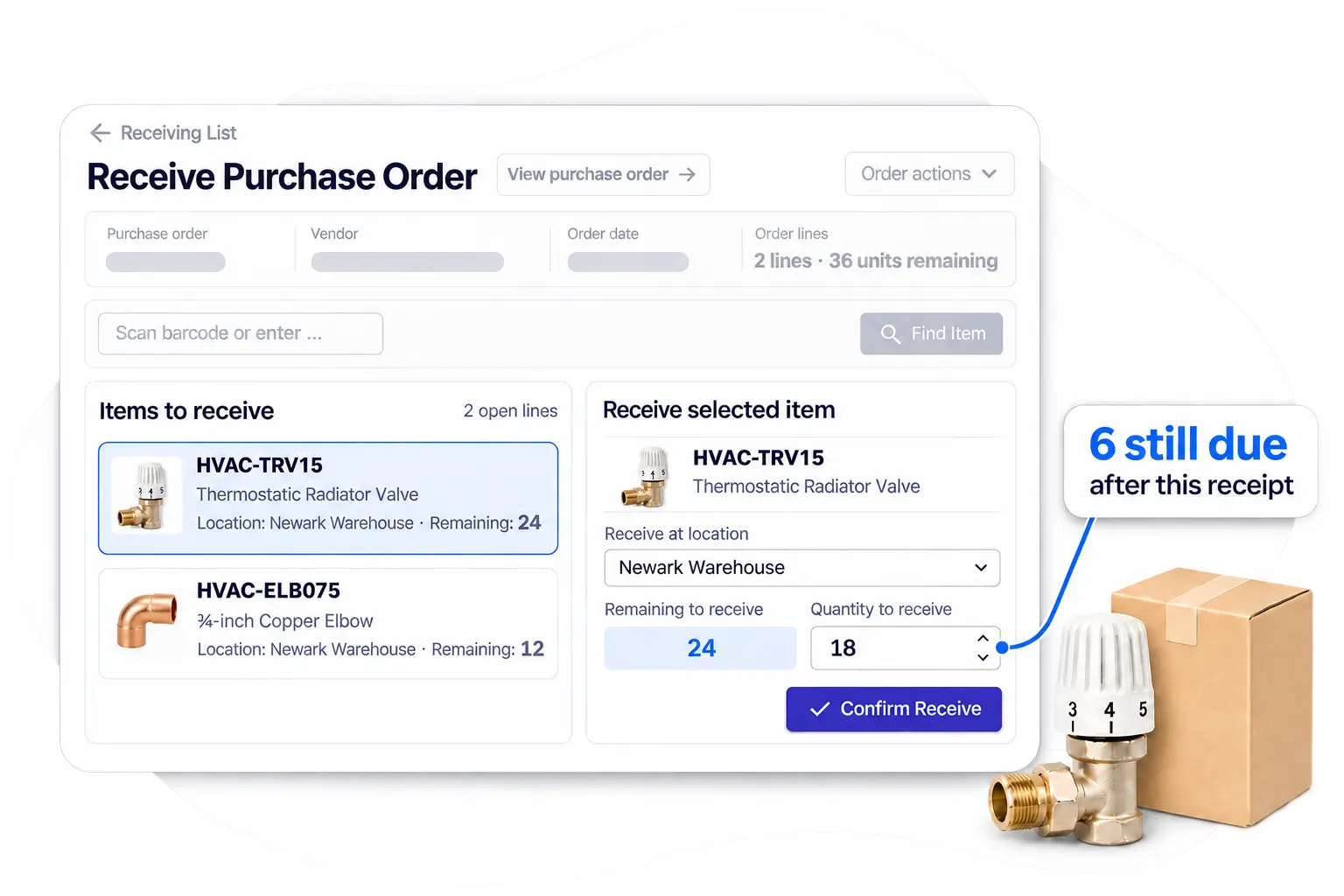
From incoming deliveries to outgoing orders, connected warehouse workflows reduce manual work, improve inventory accuracy, and maintain visibility across daily operations.
Flexible receiving, even with partial deliveries
Record incoming quantities accurately while keeping outstanding purchase order balances open.
Smooth picking and fulfillment
Process available stock, handle partial orders, and maintain clear visibility into remaining quantities.
Accurate inventory through every movement
Maintain reliable stock records as products are received, picked, and transferred between locations.
TRACEABILITY & WAREHOUSE INSIGHTS
Better Traceability. Clearer Warehouse Insights.
Understand what is happening with your inventory, from individual product batches to stock movements across warehouse locations.
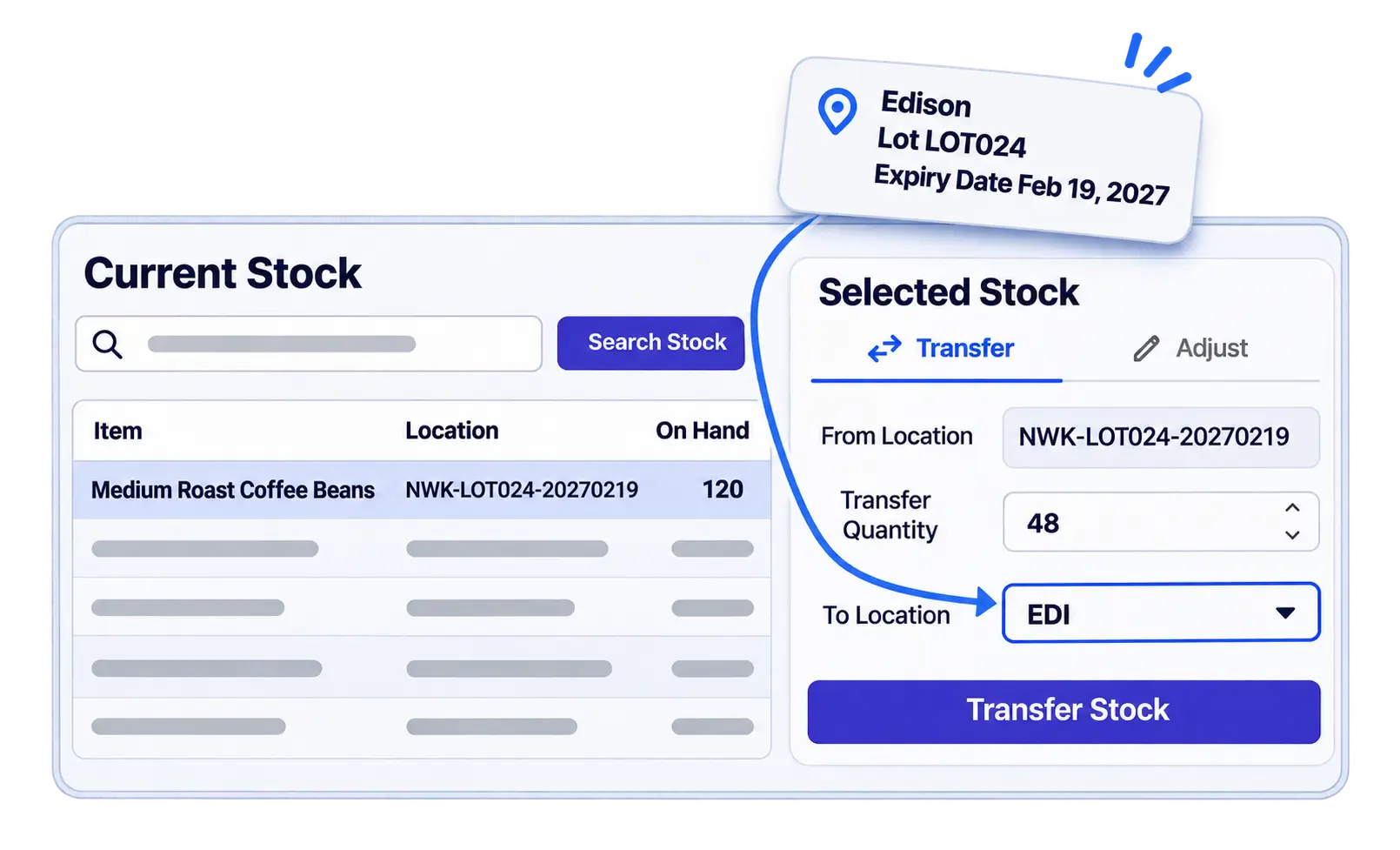
Track Lots, Serial Numbers, and Expiry Dates
Maintain product traceability with lot, serial number, and expiration information where applicable.
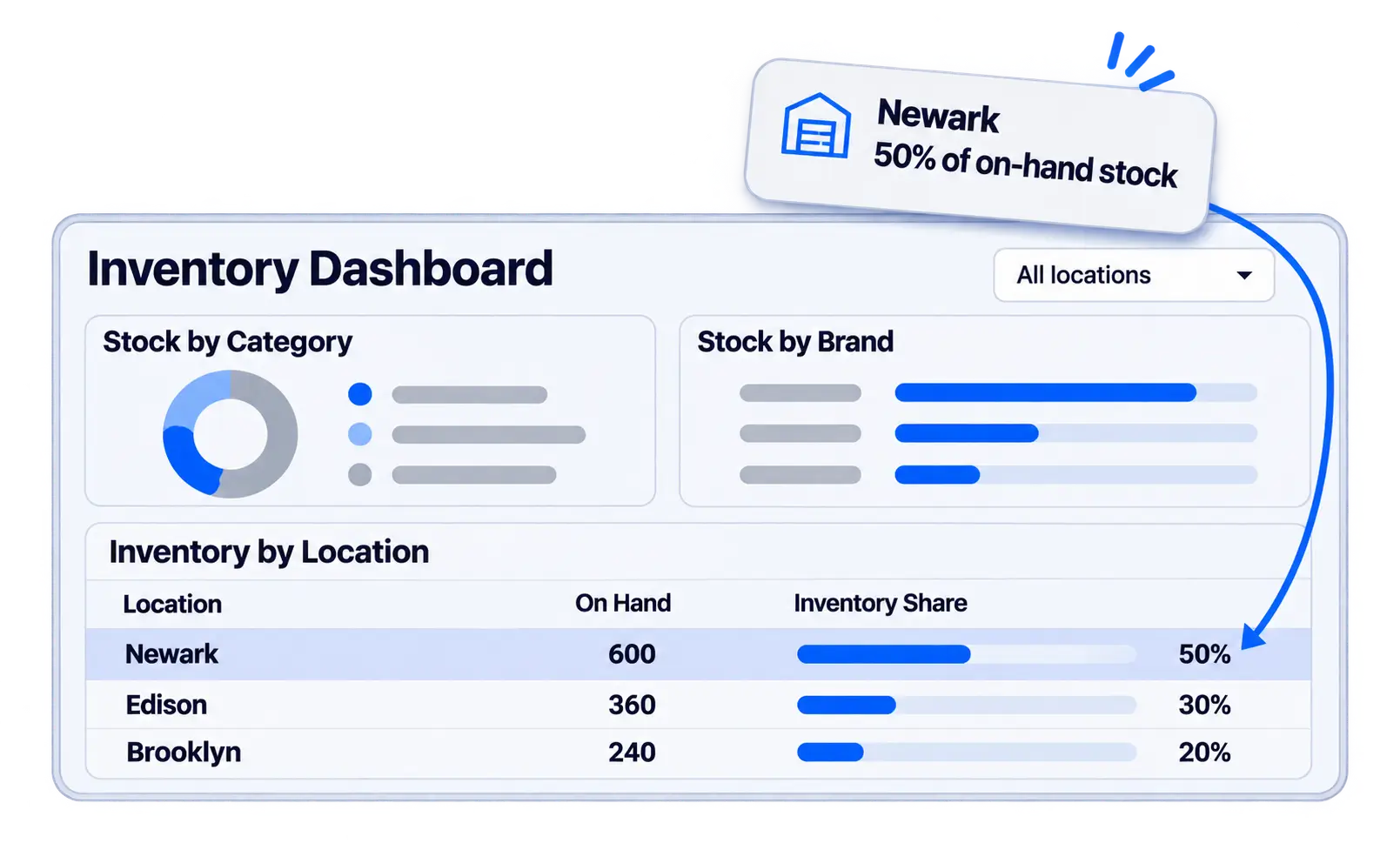
Make Better Decisions with Inventory Reports
Review stock counts by location to see inventory quantities across warehouses and storage areas.
EXPLORE MORE FEATURES
Discover More of C2W Inventory
Explore more tools to support your daily business operations.
WAREHOUSE MANAGEMENT FAQS
C2W Inventory shows quantities separately for each warehouse and storage location, including shelves and bins. Your team can see which site has enough stock to fill an order or replenish another location.
The C2W Inventory Web App works in a browser on phones and tablets, so your team can check stock, receive deliveries, and pick orders right from the warehouse floor. C2W SmartScan is also available for compatible Android handheld scanners for teams that scan throughout the day.
C2W Inventory compares your physical count with the quantities recorded for that location and shows which items are short or over, and by how much. Your team can resolve discrepancies before they affect picking or replenishment.
A recorded transfer updates quantities at both the source and destination and adds the move to inventory history. If your team replenishes a picking area from reserve storage, they can see how much was moved and where it went.
Your team can scan item barcodes during receiving and picking to verify they have the right product. C2W Inventory also lets you print custom barcode and QR labels individually or in batches, which helps when a delivery arrives without usable labels.
C2W Inventory records the quantities picked and leaves the balance open for later. When more stock becomes available, your team can return to the same order and see exactly what still needs to be picked.
For lot-tracked items, C2W Inventory records the lot number and expiration date at receiving and carries both forward when stock moves between warehouses. During picking, it recommends the lot that expires first, helping your team use that stock before it goes to waste. For serialized items, C2W Inventory tracks individual units by serial number during receiving and picking.
Bring more control to your warehouse
Track inventory across locations, organize warehouse tasks, and keep stock moving with C2W Inventory.
14 day free trial. No credit card required.