



How to Create Service Products in C2W Inventory
Service Products let you add services or labor charges to your orders without tracking inventory quantities. You can also enter the cost and selling price of a service to help track the profit generated from it.
For example, you can create Service Products for installation, repair, maintenance, consulting, or labor charges.
Create a Service Product
The Service Product is now available to use in C2W Inventory without tracking an inventory quantity.
Tip
Entering both the cost and selling price of a service allows you to track the profit generated from the service or labor charge.
Example
For an installation service, you could create:
Field | Example |
|---|---|
Product Name | Installation Service |
Item Type | Service |
Cost | $50.00 |
Selling Price | $100.00 |
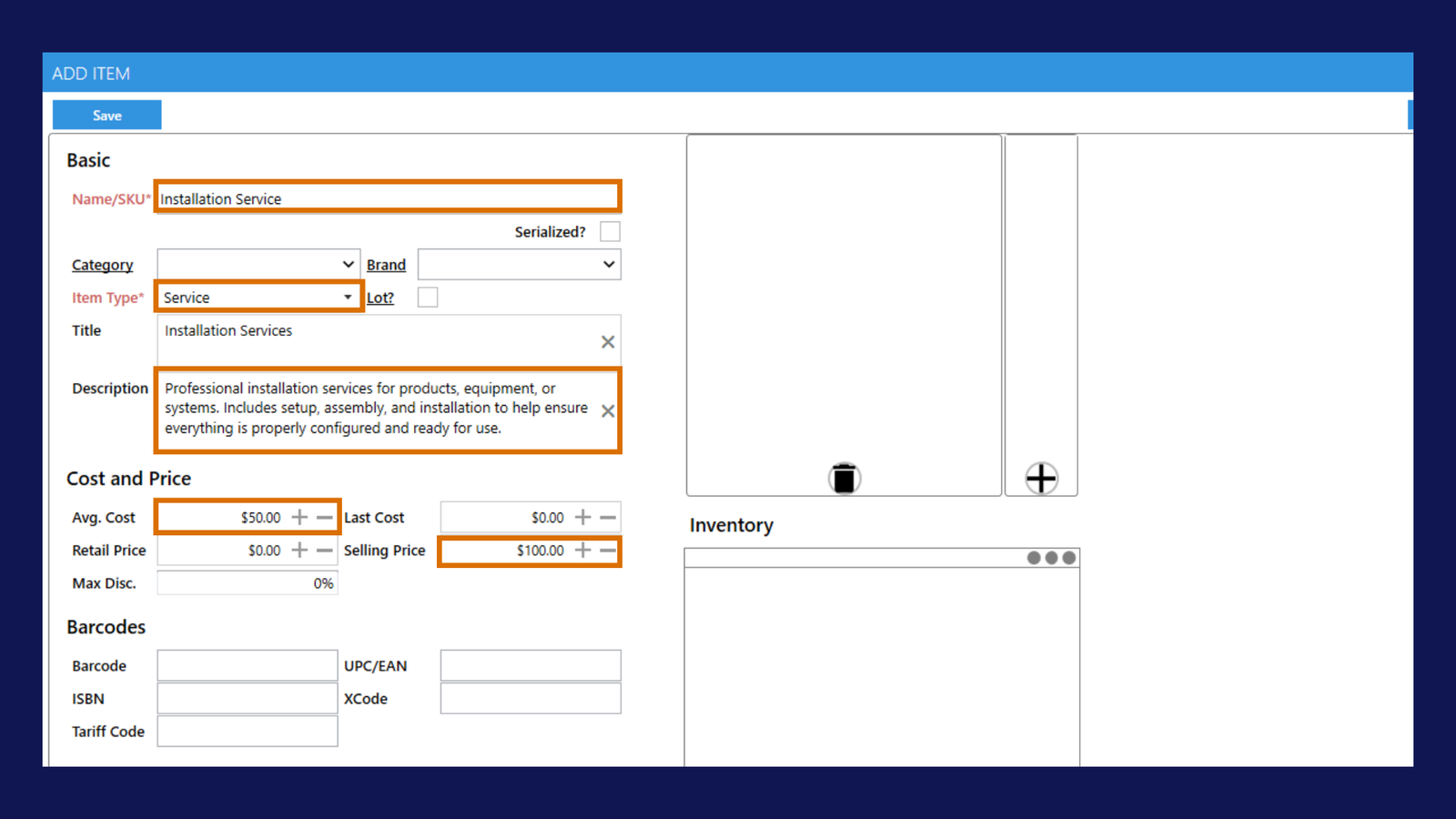
Because the item is set as Service, C2W Inventory does not track a physical inventory quantity for it.