



How to Manage Shipping Methods in C2W Inventory
Shipping Methods allow you to define the different ways orders can be delivered or picked up in C2W Inventory. Examples include Delivery, Pickup, UPS Ground, and UPS Express.
Open Manage Shipping Methods
The Manage Shipping Method screen displays your existing shipping methods and provides options to add, batch import, export, or delete shipping methods.
Add a Shipping Method
To create a new shipping method:
The shipping method is immediately saved and added to the list.
View and Filter Shipping Methods
Existing shipping methods are displayed in the Manage Shipping Method list. The list includes:
- ShippingMethod – The shipping method name.
- CreatedOn – The date and time the shipping method was created.
Use the filter icons in the column headers to quickly find or filter shipping methods in the list. The total number of shipping methods is displayed at the bottom of the screen.
Export Shipping Methods
Click Export to export the existing shipping methods list. This is useful when you need to review your shipping methods outside of C2W Inventory or keep a copy of your current list.
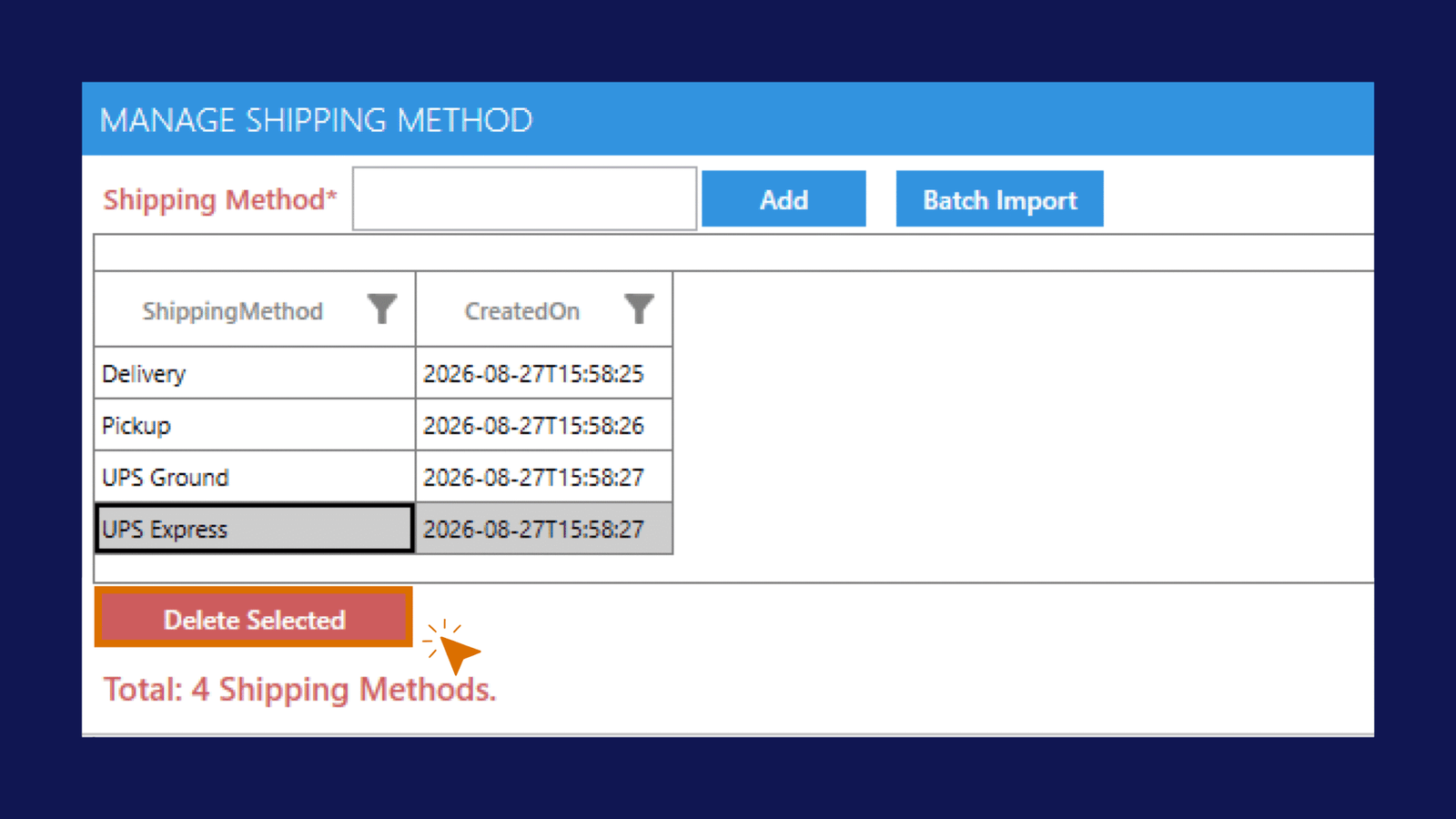
Delete a Shipping Method
To remove a shipping method:
Important
Before deleting a shipping method, make sure it is no longer needed.
Batch Import Shipping Methods
Need to add multiple shipping methods at once? Use Batch Import to import a list instead of adding each shipping method individually. See How to Batch Import Shipping Methods for complete instructions.